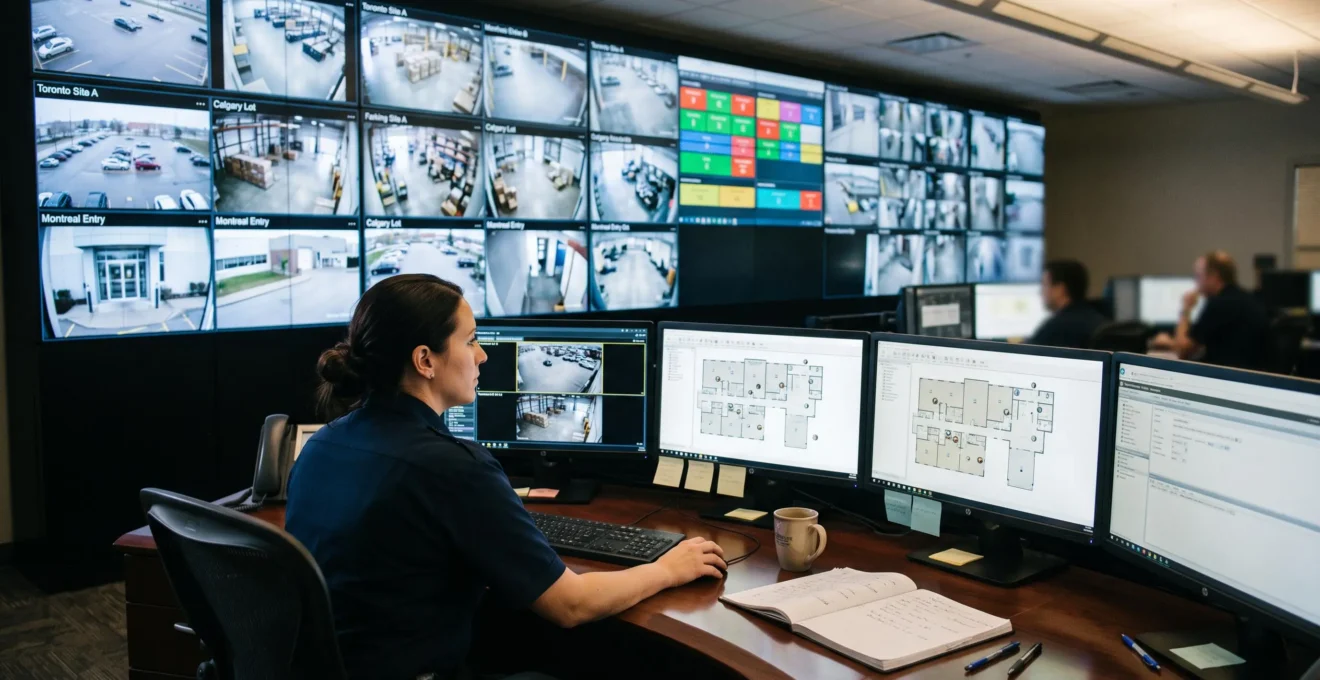
Managing physical security across several facilities becomes increasingly complex when cameras, access control, intrusion detection, and alarm systems operate independently. An operator investigating a suspicious door event may need to consult different applications, compare timestamps, retrieve video footage, and contact a local team before determining whether intervention is necessary.
A centralized security management interface addresses this fragmentation by bringing relevant events, system status, and response workflows into a shared operational environment. Instead of forcing teams to navigate technology silos, the platform helps them assess incidents in context, coordinate decisions, and maintain consistent records across locations.
For Canadian organizations operating multiple offices, warehouses, industrial facilities, or remote sites, effective centralization also depends on interoperability, privacy governance, network resilience, and practical operating procedures. The objective is not simply to display everything on one screen. It is to establish a reliable process for detecting, verifying, escalating, and documenting security events while allowing individual facilities to remain operational when connectivity fails.
Centralized Security Management: Essential Insights
- A unified interface can reduce unnecessary system switching by combining alarms, video verification, access events, and incident workflows.
- Successful consolidation requires consistent event definitions, verified integrations, role-based permissions, and locally resilient security systems.
- Canadian organizations should evaluate privacy requirements, platform availability, and long-term integration costs before selecting an architecture.
- Why Do Separate Security Dashboards Increase Operator Response Time?
- How Can You Design a Security Dashboard for Multiple Facilities?
- PSIM or Unified Vendor Platform for Enterprise Security Operations?
- Why Can Security Platform Outages Affect Multiple Sites at Once?
- How Can Operator Dashboards Reduce Unnecessary Security Notifications?
- How Can Risk-Based Video Alerts Help Operators Respond Faster?
- How Can You Consolidate Door Access Logs Across Several Office Locations?
- How Can Canadian Organizations Build a Security Ecosystem That Adapts to New Threats?
Why Do Separate Security Dashboards Increase Operator Response Time?
Separate security dashboards can increase operator response time because they require staff to switch between applications, reconstruct incident context, and manually correlate information from different systems. The resulting delay extends beyond navigation time: operators must repeatedly interpret unfamiliar data, verify relationships between events, and establish which actions are justified before responding.
Consider a hypothetical incident involving a door held open at a Toronto office followed by a camera alert at a second facility. In separate systems, these may appear to be unrelated notifications. An operator must examine timestamps, access credentials, camera footage, and local circumstances before identifying a potential connection.
A centralized timeline can make that investigation more efficient by presenting relevant events together. However, correlation does not establish causation. Operators still need evidence before treating geographically separate alerts as a coordinated incident.
The operational challenge is supported indirectly by research on cybersecurity monitoring. A 2025 scientific review of alert fatigue in security operations centres identifies fragmented dashboards, information overload, and difficulties correlating alerts as challenges for analysts. Although the research concerns cybersecurity rather than Canadian physical security installations, its findings offer a useful framework for evaluating multi-system operator workflows.
Organizations can establish their own performance baseline through a controlled exercise. Select a representative simulated incident and record the time required to verify it, the applications opened, the authentication steps performed, the manual log searches completed, and the number of handoffs between personnel.
Repeat the exercise after introducing an integrated workflow. Compare results under equivalent conditions, rather than assuming that consolidation automatically improves response speed.
Shift continuity deserves equal attention. Independent dashboards often scatter incident notes between applications or locations. A shared incident record can preserve the investigation history, supporting evidence, escalation decisions, and outstanding actions so incoming operators do not need to start again.
Once the organization understands where investigative delays occur, dashboard design can focus on eliminating those specific obstacles instead of merely reproducing existing screens in one application.
How Can You Design a Security Dashboard for Multiple Facilities?
An effective multi-facility security dashboard should organize information by operational role, standardize event definitions across locations, and support a consistent workflow from alarm detection to incident resolution. A consolidated screen provides visibility, but a genuinely unified interface also enables operators to verify evidence, assign responsibilities, coordinate responses, and document outcomes without repeatedly changing systems.
The distinction between aggregation and operational unification is important. A dashboard displaying alerts from several buildings may still require operators to open separate vendor applications to review video, identify a badgeholder, or dispatch personnel. That arrangement improves awareness but preserves much of the original workflow fragmentation.
A more useful design separates information into three operational levels:
- National overview: Enterprise-wide site availability, unresolved critical incidents, alarm trends, and regional performance indicators for senior security management.
- Regional monitoring: Prioritized alarms, active incidents, resource availability, and escalation status across facilities assigned to a monitoring team.
- Site-level investigation: Camera views, door status, floor plans, device health, local incident history, and approved response actions.
Each level should provide a direct route to the underlying evidence without displaying every available data field by default.
Before configuring the interface, establish a common event taxonomy. A forced-door event should have a consistent definition across facilities, even when the underlying access control systems use different terminology. Alarm severity should also follow shared criteria while allowing documented site-specific adjustments.
Canadian operating conditions introduce additional design requirements. Bilingual security teams may need English and French interface labels, standardized translations for critical alarms, and clear escalation terminology. Northern or remote facilities may rely on constrained connectivity or legacy equipment that exchanges information through local gateways.
These limitations should influence the architecture. Bandwidth-efficient event transmission, controlled video retrieval, connection health monitoring, and local buffering can be more practical than continuously transmitting every video stream to a national control room.
Five Steps to Validate a Multi-Site Dashboard Design
- Inventory the security systems, device generations, and network connections at every facility. Deliverable: a site-by-site integration inventory.
- Map each operator role to its required decisions and permissions. Deliverable: a role-based dashboard requirements matrix.
- Standardize alarm categories, priorities, timestamps, and escalation meanings. Deliverable: an approved enterprise event dictionary.
- Test representative incidents across regional and site-level views, including a low-bandwidth facility. Deliverable: a documented workflow test report.
- Validate bilingual terminology, access restrictions, and shift handover procedures with operators. Deliverable: a signed operational acceptance checklist.
Once the required workflows are established, the next decision is architectural: whether to integrate existing technologies through an independent management layer or adopt a more tightly coupled vendor ecosystem.
PSIM or Unified Vendor Platform for Enterprise Security Operations?
The choice between physical security information management (PSIM) and a unified vendor platform depends on the existing technology estate, integration requirements, operational complexity, and long-term ownership costs. PSIM generally prioritizes coordination across heterogeneous systems, while a unified vendor platform may provide deeper native functionality within its ecosystem. Neither approach is automatically preferable for every multi-site organization.
A PSIM architecture typically sits above individual security systems, collecting events and presenting them through centralized incident-management workflows. This approach can be attractive when an organization operates several established camera, access control, and intrusion detection products that would be expensive or disruptive to replace.
A unified vendor platform generally delivers closely integrated capabilities within a defined product ecosystem. Procurement, upgrades, and technical support may be simpler when fewer suppliers are involved, but some existing systems may require adapters, partial replacement, or a complete migration.
The following decision grid highlights the trade-offs that should be tested during procurement.
| Evaluation criterion | PSIM | Unified vendor platform |
|---|---|---|
| Third-party integration | Designed for heterogeneous environments, subject to available connectors and supported functions. | Often strongest within its own ecosystem; external support varies by vendor and product. |
| Integration depth | Depends on APIs, connector capabilities, and middleware configuration. | May offer deeper native control of supported products and workflows. |
| Total cost of ownership | Includes integration engineering, connector maintenance, licensing, and troubleshooting. | Includes platform licensing, migration, hardware replacement, and ecosystem dependencies. |
| Vendor lock-in | Can preserve equipment choice but create dependency on the PSIM integration layer. | Can increase dependency on one supplier’s architecture, licensing, and roadmap. |
Integration maintenance is a frequently underestimated expense. A connector that works today may require modification after a camera system upgrade, an API change, or a firmware revision. Organizations should examine contractual responsibilities for maintaining these connections throughout the platform lifecycle.
Data portability is another decision factor. Incident records may reside in PSIM middleware or within a vendor-controlled ecosystem. Before deployment, determine who controls the information, whether it can be exported in a usable format, and how supporting footage, timestamps, and audit histories remain associated with each record.
For Canadian organizations, these questions should include data hosting locations, cross-border access arrangements, contractual protections, and applicable privacy obligations. Canadian data residency should be evaluated against actual legal, sectoral, and contractual requirements rather than treated as a universal rule.
A practical evaluation can also include a hybrid architecture. Identify the two or three installed systems that are most difficult to replace and require vendors to demonstrate their integration using the organization’s actual device models, firmware versions, and operational scenarios.
Testing the installed base is more informative than comparing feature lists. Verify event delivery, video association, command permissions, failure recovery, and export capabilities before committing to a migration.
Platform selection should also account for an often overlooked consequence of consolidation: when several facilities rely on shared services, failures in those services may affect security operations across multiple locations simultaneously.
Why Can Security Platform Outages Affect Multiple Sites at Once?
Centralized security platforms can affect multiple sites during an outage because facilities may depend on shared authentication, event processing, databases, network connections, or management services. If these components become unavailable, operators can lose visibility or centralized control across several locations. The actual impact depends on whether critical site equipment can continue operating independently.
Centralization concentrates operational dependencies. A shared platform may reduce duplication and improve coordination during normal operations, but a poorly designed architecture can also create a single point of failure.
The solution is not to abandon centralized management. It is to separate central visibility from essential local operation.
A resilient design can include redundant management services across appropriately separated data centres or cloud regions, protected network connections, independent local recording, and controllers capable of maintaining their approved access-control functions without continuous communication with the central platform.
These capabilities must be verified for the actual devices and configuration. Offline door behaviour, credential validation, event storage, and recovery characteristics vary between systems. Fire and life-safety requirements must remain independently satisfied.
Resilience planning should translate these safeguards into a degraded-mode playbook. During a central platform outage, operators need a defined method to determine which facilities are affected, communicate with local personnel, and identify which monitoring or control functions remain available.
Local systems should continue recording supported events where configured to do so. After reconnection, the platform should retrieve buffered records, reconcile timestamps, flag missing intervals, and prevent duplicate incident creation. Reconciliation results need review because successful reconnection does not guarantee that every event was preserved.
Security teams should periodically test failover rather than relying on architecture diagrams alone. Simulated network isolation, management-service failures, and controlled restoration exercises can expose dependencies that would otherwise remain hidden.
The NIST Guide to Operational Technology (OT) Security includes physical access control and physical environment monitoring within its operational technology scope. It provides a relevant technical framework for examining security architecture, vulnerabilities, and reliability requirements, although it is not Canadian regulation or a guarantee of outage tolerance.
Maintaining disconnected legacy dashboards as informal backups can introduce additional risk. Unless they are actively maintained, monitored, and included in operational exercises, they may create inconsistent information and unclear responsibility during an emergency.
A resilient infrastructure protects operational continuity; the next challenge is ensuring that the information reaching operators remains manageable and actionable when all sites are connected.
How Can Operator Dashboards Reduce Unnecessary Security Notifications?
Operator dashboards can reduce unnecessary security notifications by consolidating related events, suppressing known non-actionable conditions, and prioritizing alerts according to verified operational risk. Effective notification management requires historical alarm analysis, consistent escalation rules, and periodic review. Simply hiding alerts or raising detection thresholds without validation can reduce visibility into genuine incidents.
High alarm volumes create more than an inconvenience. When operators repeatedly encounter predictable or irrelevant notifications, routine acknowledgement can replace careful assessment. Important events may receive insufficient attention because their presentation resembles that of ordinary activity.
The first step is alarm rationalization: examining the historical event record for each location and determining which alarm categories produce the greatest operational burden.
Rather than changing thresholds independently at every facility, security teams can classify alerts according to their required treatment:
- Actionable: Events that require timely investigation or intervention under documented procedures.
- Conditionally actionable: Events requiring additional context, corroboration, or site-specific conditions before escalation.
- Informational: Events useful for reporting, investigation, or trend analysis but not requiring immediate operator attention.
Consider a hypothetical warehouse intrusion alarm. If a perimeter sensor activates while an associated camera detects a person in a restricted area outside authorized hours, the platform can present a more informative incident than the sensor notification alone.
However, corroboration must be applied carefully. A genuine event may not produce independent video evidence because of camera obstruction, equipment failure, or environmental conditions. High-consequence events should retain appropriate escalation paths even without secondary confirmation.
Effective alert correlation therefore combines event rules, source reliability, asset criticality, and response procedures. It should not operate as a blanket requirement that every alarm receive two independent confirmations.
Governance prevents notification volume from gradually returning to previous levels. Assign a named owner for enterprise alert rules, define approval requirements for local exceptions, and review recurring false or nuisance alarms after site changes, equipment replacements, or staffing adjustments.
Useful performance indicators include total alert volume, percentage requiring intervention, repeat notifications from the same devices, time to acknowledgement, and the proportion of alarms closed without action. These measures should be interpreted together to avoid rewarding teams for suppressing useful alerts.
Once alarm quality is under control, video analytics can provide more relevant context by distinguishing routine movement from activities that warrant closer attention.
How Can Risk-Based Video Alerts Help Operators Respond Faster?
Risk-based video alerts can help operators respond faster by prioritizing detected activity according to its type, location, timing, and potential security consequences. Unlike basic motion detection, which reacts to movement, risk-based alerting combines analytical classifications with site-specific rules. Its effectiveness depends on detection accuracy, appropriate thresholds, and human verification before consequential decisions.
A conventional motion detector may trigger when an object moves through the monitored scene. More advanced analytics may distinguish people, vehicles, restricted-zone entry, or prolonged presence within an area.
These classifications become more useful when the platform evaluates them against a facility’s risk profile.
For example, a person detected near a warehouse loading dock at 3 a.m. may justify a different response from a person entering an office lobby at 3 p.m. The distinction reflects the operating schedule, authorized activity, facility exposure, and locally approved security rules rather than an inherent threat associated with an individual.
A centralized platform can support consistent risk classifications while allowing facility-specific configurations. This avoids applying one rigid detection threshold to every location.
Risk profiles might consider restricted-area status, expected occupancy, detection confidence, previous related alarms, and the potential consequences of delayed intervention. Each factor should be documented so operators understand why an event received its assigned priority.
Privacy considerations are especially important when analytics identify individuals or analyze behaviour. In Canada, applicable requirements depend on the organization, purpose, jurisdiction, and nature of the information collected.
Under PIPEDA where applicable, and under relevant provincial privacy legislation, organizations should assess collection purposes, transparency, safeguards, retention, and authorized use. Quebec operations may require additional review under the province’s private-sector privacy framework.
Video analytics configurations should therefore incorporate purpose limitation, appropriate notice or signage, restricted access, and retention controls from the outset. Where the deployment may significantly affect privacy, the organization should assess whether a privacy impact assessment is required or appropriate.
A verification feedback loop makes the system more dependable. Operators can classify reviewed alerts as genuine, false, inconclusive, or requiring rule adjustment. Administrators can then examine recurring patterns and assess potential improvements without assuming that analytics automatically learn from operator feedback.
Changes should be tested against representative scenarios to confirm that reducing unnecessary notifications does not create unacceptable missed detections.
Combining contextual video alerts with reliable access-control records can further improve investigations, particularly when incidents involve several offices or facilities.
How Can You Consolidate Door Access Logs Across Several Office Locations?
Door access logs can be consolidated across office locations by integrating compatible access control systems into a shared event repository, normalizing their records, and mapping credentials to consistent identities. The process must account for different controller generations, event formats, timestamps, and privacy requirements. Without reliable identity mapping and data governance, a unified log may remain incomplete or misleading.
Many organizations operate a mixed installed base. One office may use older access panels, another may rely on IP-connected controllers, and a recently opened facility may use a cloud-managed access platform.
Consolidating those records requires either native integrations or an intermediary service capable of translating the different event formats into an agreed schema.
At a minimum, normalized records should preserve the event timestamp and time zone, facility identifier, door or controller identifier, event type, and relevant credential reference. Additional information should be collected only where operationally justified.
The more difficult problem is often identity consistency. A single employee may hold different badge identifiers across locations. Without an approved mapping process, the centralized repository may treat that employee as several unrelated identities.
Identity reconciliation should rely on an authoritative organizational record, with controlled handling of badge replacement, temporary credentials, contractors, and identity lifecycle changes. Investigators should also distinguish between a credential event and confirmed physical presence: a successful badge read does not by itself prove who passed through a doorway.
Once events are normalized and identities appropriately reconciled, authorized investigators can examine activity across multiple offices without submitting separate requests to local administrators.
For instance, a hypothetical investigation involving repeated access denials at different locations could be assessed through one authorized query. Cross-site patterns may become visible, but investigators must still consider credential sharing, equipment errors, and legitimate operational explanations.
Centralized access logs also create privacy exposure. Records connected to identifiable people can reveal workplace activity and movement patterns. A searchable enterprise repository therefore requires particularly careful access restrictions.
The Office of the Privacy Commissioner of Canada explains the relevant principles in its guidance on PIPEDA fair information principles. These include defining collection purposes, limiting collection and retention, safeguarding information, and assigning organizational accountability.
The applicability of PIPEDA and provincial privacy rules must be determined for the specific deployment. No single retention period should be assumed to apply to every Canadian access-control log.
Organizations should establish purpose-specific retention schedules, restrict cross-site searches to authorized roles, record administrative and investigative access, and define secure deletion or archival procedures before importing historical logs.
Once event records, permissions, and integrations are governed consistently, the security ecosystem becomes easier to extend as facilities, technologies, and threat conditions evolve.
Key Takeaways for Long-Term Security Planning
- Interoperability should be validated against installed equipment and required workflows, not general compatibility claims.
- Resilience and cybersecurity controls must be designed into the management architecture before widespread site migration.
- Long-term adaptability requires ownership of integration standards, operational procedures, and continuous improvement.
How Can Canadian Organizations Build a Security Ecosystem That Adapts to New Threats?
Canadian organizations can build an adaptable security ecosystem by combining interoperable technologies, resilient architecture, cybersecurity governance, and regularly updated operational procedures. The objective is to accommodate new devices, facilities, and threat scenarios without rebuilding the entire platform. Adaptability depends on verified integration capabilities and organizational readiness, not simply on purchasing software marketed as future-proof.
A scalable ecosystem should use documented APIs, standardized event schemas, and supported industry interoperability mechanisms wherever practical. These reduce dependence on individual proprietary connections and make future integrations easier to evaluate.
For physical security products, the official ONVIF profiles for physical security interoperability provide a useful technical reference. Different profiles address different capabilities across video and access-control systems.
However, ONVIF conformance is not a universal guarantee of feature compatibility. Organizations need to verify the precise profiles, supported functions, product versions, and required workflows for both the devices and management software involved.
Cyber-physical security convergence is another essential consideration. A centralized management platform is a networked information system that may connect cameras, controllers, servers, cloud services, and administrative workstations.
It should therefore be included in enterprise cybersecurity governance, with controls appropriate to the assessed risk. These may include:
- Network segmentation between management services, physical security devices, and unrelated business systems.
- Documented patch management and vulnerability response procedures for servers, appliances, and connected equipment.
- Strong authentication, least-privilege administration, and controlled vendor remote access.
- Monitoring of integration failures, suspicious administrative activity, and unauthorized configuration changes.
- Tested backup, restoration, and incident response procedures covering both cyber and physical consequences.
An adaptable ecosystem also needs a formal review cycle. An annual strategic assessment can examine emerging risks, integration dependencies, regulatory developments, and changes in facility operations. More frequent reviews may be appropriate after significant incidents, technology changes, or newly identified vulnerabilities.
Potential review topics include drone-related perimeter concerns, insider risk, compromised security devices, and attacks that exploit connections between IT infrastructure and building security technologies. Monitoring requirements should follow a documented risk assessment rather than automatically expanding surveillance.
Finally, organizational change determines whether technical flexibility produces practical benefits. Operators need training on new alert classifications, site managers need clear escalation responsibilities, and administrators need a controlled process for updating configurations.
Feedback from frontline staff should be incorporated into platform governance. Repeated investigation difficulties, ambiguous alarms, and integration failures can reveal shortcomings that technical monitoring alone does not capture.
For a practical next step, conduct a cross-site assessment covering installed technologies, integration gaps, critical incident workflows, outage dependencies, and information governance. Use the findings to prioritize a controlled pilot at representative facilities, validate performance with operators, and establish measurable acceptance criteria before expanding the centralized platform.
Can a centralized security platform integrate equipment from different manufacturers?
Yes, provided the platform supports the specific products and required functions through native connectors, compatible interfaces, or middleware. Organizations should verify equipment models, firmware versions, available APIs, relevant ONVIF profiles, and supported events before procurement. Basic interoperability does not guarantee access to every proprietary capability or workflow.
Does centralized security management require all video footage to be stored in one location?
No. A centralized interface can provide common monitoring and incident workflows while video remains stored locally, regionally, or in an approved cloud environment. The appropriate architecture depends on bandwidth, investigation needs, resilience requirements, retention policies, and applicable privacy or contractual obligations.
How should organizations assess the success of a security platform consolidation?
Success should be evaluated using baseline and post-deployment measures collected under comparable conditions. Useful indicators include incident verification time, manual system switches, actionable alert rates, unresolved integration failures, platform availability, and quality of incident documentation. Operator feedback and outage testing provide additional evidence that the centralized workflow functions as intended.
Can remote Canadian facilities operate securely without continuous connectivity?
They may be able to, depending on the architecture and equipment configuration. Local access controllers, recording systems, and event buffers can support continuity when central connectivity is interrupted. Organizations must test offline credential behaviour, power availability, local logging capacity, emergency access requirements, and event reconciliation before relying on these capabilities.
Should Canadian organizations keep physical security data within Canada?
Data residency requirements depend on the organization’s sector, jurisdiction, contracts, and applicable privacy laws. Storing data in Canada may support certain governance objectives but does not automatically establish legal compliance. Organizations should assess cross-border processing, third-party access, safeguards, retention, and applicable federal or provincial requirements before selecting hosting arrangements.