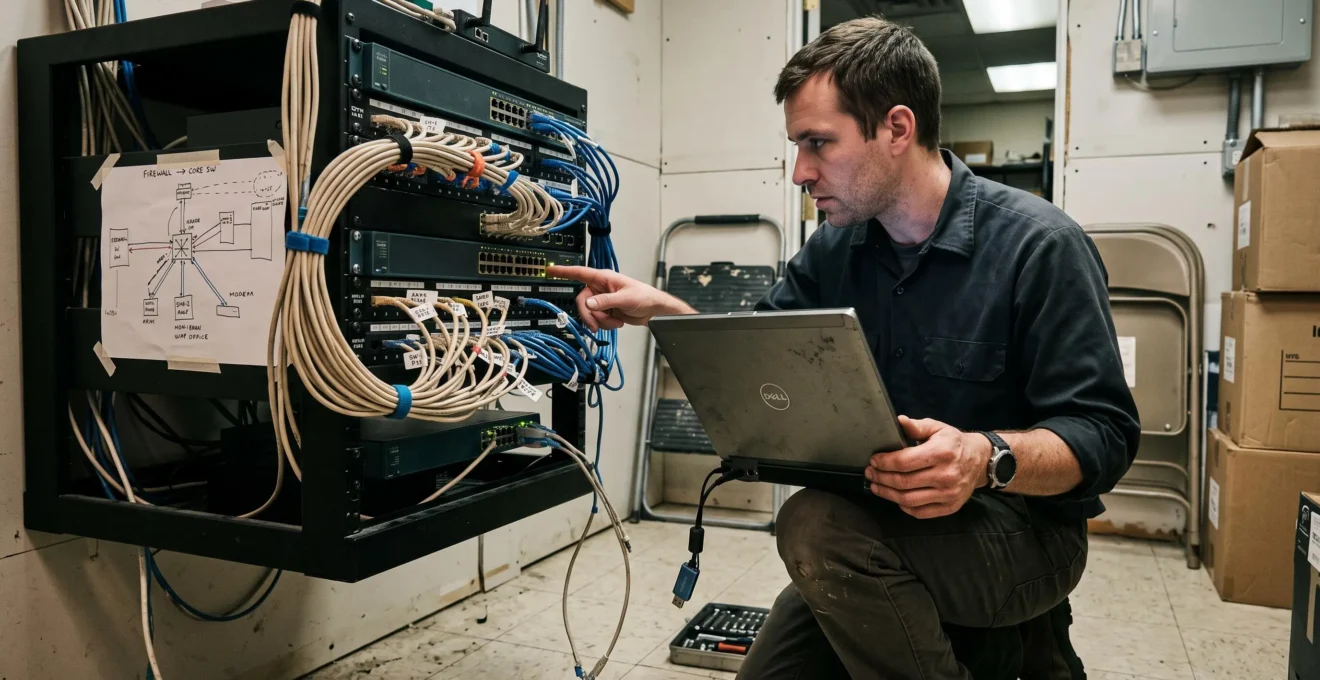
Detecting a network intrusion requires more than identifying malicious traffic at the internet firewall. Attackers who obtain valid credentials or compromise an internal device may communicate through legitimate services, move between systems, and remain unnoticed while preparing further access. Canadian businesses need visibility into internal connections, authentication activity, remote access, and changes in normal network behaviour.
An effective intrusion response combines continuous logging, investigation of suspicious traffic, segmentation, and containment procedures that match the severity of the incident. IT teams must determine which assets are affected, whether unauthorized activity is continuing, which connections should be restricted, and what evidence must be preserved. For organizations with multiple offices, the same controls must extend across branch connections, remote workers, and third-party access.
The practical objective is to identify unauthorized network access early enough to limit damage, contain compromised infrastructure without unnecessarily disrupting operations, and establish a reliable basis for recovery and any required Canadian privacy-breach notifications.
Network intrusion detection and containment: key actions
- Collect and correlate network, authentication, endpoint, and remote-access logs to identify activity that does not match legitimate operations.
- Restrict lateral movement through segmentation, monitored network boundaries, and targeted isolation of compromised accounts or systems.
- Preserve evidence, investigate the full scope of compromise, and assess applicable federal and provincial breach-reporting obligations before completing recovery.
- Why Can Attackers Remain Undetected Inside Business Networks for So Long?
- How Can IT Teams Investigate Unexpected East-West Network Traffic?
- Network IDS or IPS for a Multi-Site Canadian Business?
- Why Flat Corporate Networks Increase the Impact of an Intrusion
- When Should IT Teams Disconnect a Network Segment During an Incident?
- Why Poorly Segmented Building and IoT Devices Can Expose Corporate Networks
- How Can Baselines of Normal Network Activity Expose Suspicious Changes?
- What Should Canadian Businesses Do After Discovering a Data Breach?
Why Can Attackers Remain Undetected Inside Business Networks for So Long?
Attackers can remain undetected because unauthorized activity often resembles legitimate administration, especially when stolen credentials and ordinary network services are involved. An intruder may operate outside business hours, access systems gradually, and avoid obvious malware. Without continuous monitoring of authentication, internal traffic, and administrative activity, suspicious behaviour may only become apparent after operational disruption.
This creates an asymmetry between attacker patience and defender visibility. An attacker can choose when and how often to interact with compromised systems. An IT team that examines logs only after receiving an alert sees a limited portion of that activity. A firewall may record an approved connection without identifying whether the person behind the authenticated session is authorized.
Several concealment mechanisms complicate detection:
- Credential reuse: A compromised account that has access to multiple servers or applications can enable movement without repeated exploitation of vulnerabilities.
- Legitimate administrative utilities: Built-in remote management tools, scripting environments, and system utilities can perform unauthorized actions while resembling routine maintenance.
- Encrypted communications: HTTPS connections and other encrypted protocols can conceal the contents of unauthorized communications. DNS tunnelling may also disguise data transfer within seemingly ordinary DNS activity.
- Log tampering: An intruder with sufficient privileges may disable event collection, delete local records, or change audit settings to reduce evidence of activity.
These techniques explain why signature-based detection alone is insufficient. A known malware signature may identify a particular tool, but it cannot reliably distinguish every authorized administrator from an attacker using the same credentials and services.
Canadian small and medium-sized businesses should examine overlooked access paths such as remote desktop gateways, VPN accounts belonging to former employees, unmanaged contractor connections, and implicit trust between branch offices. A compromised account at one location may provide access to resources elsewhere if permissions and network controls permit it.
The Canadian Centre for Cyber Security guidance on network security logging and monitoring recommends gathering security-relevant events across infrastructure, detecting anomalies, protecting logs against tampering, and establishing normal activity baselines.
A useful self-assessment is to ask: What specific event would reveal an attacker using a valid employee account tonight, and who would investigate it? If the organization cannot identify an alert, a responsible person, and a response process, its detection capability is not yet operationally defined.
Once those gaps are identified, investigating traffic between internal devices becomes essential. Lateral movement often produces useful evidence even when the initial intrusion leaves few recognizable indicators.
How Can IT Teams Investigate Unexpected East-West Network Traffic?
IT teams should investigate unexpected east-west traffic by identifying the communicating devices, validating the protocols and ports involved, examining authentication events, and comparing the activity with approved business workflows. Repeated connections to unrelated systems, particularly through administrative protocols, may indicate lateral movement. A traffic anomaly requires contextual investigation before it can be classified as malicious.
East-west traffic describes communications inside an organization’s network, including server-to-server connections, workstation-to-server access, and traffic between internal security zones. North-south traffic, by contrast, normally crosses the organization’s external network boundary.
A perimeter firewall may monitor internet connections thoroughly while providing little information about communications between two workstations on the same local network. This creates a visibility gap when an attacker moves from an initially compromised device toward internal systems.
A practical investigation follows a repeatable sequence:
- Identify the communicating assets. Record source and destination IP addresses, hostnames, device roles, network segments, and connection timestamps. Confirm whether the addresses correspond to their documented owners.
- Validate the destination service. Compare the protocol and port with the application actually operating on the destination. An administrative connection to an application server may be legitimate, but its source and timing still need explanation.
- Examine authentication activity. Correlate the connection with Windows security events, domain controller logs, VPN activity, and other identity records. Determine which account authenticated and whether its privileges are appropriate.
- Compare related connections. Check whether the source contacted other systems before or after the suspicious event. Sequential access to multiple servers may indicate reconnaissance or attempted lateral movement.
- Validate business justification. Compare the observed activity with change records, authorized administration, scheduled maintenance, and application dependencies. Document unexplained discrepancies.
Network flow telemetry such as NetFlow or IPFIX can identify communicating endpoints, traffic volumes, and protocols without requiring full packet capture everywhere. Switch port mirroring can provide deeper inspection at selected locations. Windows Event Forwarding can support correlation of authentication activity across relevant hosts.
Sensors positioned at segmentation boundaries can expose communication between security zones that would otherwise remain invisible to internet-edge monitoring.
Escalation becomes appropriate when multiple indicators reinforce one another. For example, a workstation initiating SMB connections to numerous servers, followed by unusual remote administrative logins using an account with elevated privileges, deserves more urgent investigation than a single unexplained connection.
Neither unexpected SMB traffic nor unusual RDP use proves compromise by itself. Authorized inventory tools, backup processes, and deployment systems can generate similar patterns. Analysts should evaluate asset role, account identity, timing, frequency, and supporting endpoint evidence together.
Investigation quality depends on having the right telemetry at the right network boundaries. For organizations with multiple locations, this leads directly to the choice and placement of intrusion detection and prevention technologies.
Network IDS or IPS for a Multi-Site Canadian Business?
A multi-site Canadian business should choose an intrusion detection system (IDS), an intrusion prevention system (IPS), or a combination based on its network architecture, staffing, and tolerance for service disruption. An IDS observes traffic and generates alerts, while an IPS operates inline and can block suspicious connections. The critical decision is whether the organization can safely automate blocking and respond effectively to alerts.
An IDS provides visibility without normally interrupting network traffic. Its effectiveness, however, depends on alert quality and the ability of staff or a security service provider to investigate incidents promptly. An IPS can stop certain threats faster, but an incorrect detection rule may block legitimate applications, remote access, or communications between offices.
For distributed environments, the operational trade-offs are significant:
| Decision factor | Network IDS | Network IPS |
|---|---|---|
| Primary function | Detect suspicious traffic and generate alerts | Detect and block traffic according to configured policies |
| Traffic placement | Typically receives monitored traffic outside the forwarding path | Operates inline with protected traffic |
| Business disruption risk | Normally does not directly interrupt inspected connections | Incorrect blocking rules or appliance failures can affect availability |
| Branch without local IT | Centralized monitoring can support remote investigation | Requires carefully tested policies and remote recovery procedures |
| High-risk internal segment | Provides visibility for investigation and incident scoping | Can enforce selective blocking when dependencies are understood |
| Operational requirement | Alert triage, escalation, and containment capability | Policy tuning, performance testing, and failure-handling procedures |
For a small branch office without on-site technical staff, centralized IDS monitoring may be easier to operate than locally managed inline prevention. Automated containment can instead be applied through endpoint security agents, identity controls, or centrally managed firewalls. Where staff can validate and maintain blocking rules, selective IPS deployment may be justified for higher-risk traffic paths.
Sensor placement often matters more than the product category. A sensor at the internet edge will not necessarily observe traffic between two internal VLANs, between branch locations, or across a direct connection to operational systems.
Deployment planning should therefore include internet ingress and egress, site-to-site VPN or SD-WAN paths, and boundaries separating guest, corporate, and operational networks. Teams should also confirm whether encrypted traffic, asymmetric routing, or local switching will limit what each sensor can inspect.
Organizations with insufficient staffing for continuous alert review can evaluate a managed security service provider or external security operations centre. The decision should consider monitoring coverage, response authority, escalation arrangements, access to evidence, and the provider’s ability to coordinate containment across locations.
Even a well-positioned detection system has limited preventive value when internal connectivity is unrestricted. The next priority is reducing the number of systems an attacker can reach after obtaining an initial foothold.
Why Flat Corporate Networks Increase the Impact of an Intrusion
Flat corporate networks increase intrusion impact because devices can often reach more internal services than their business functions require. A compromised workstation may therefore provide a path toward file servers, management interfaces, or other sensitive systems. Network segmentation restricts these communication paths, limits opportunities for lateral movement, and creates boundaries where suspicious connections can be detected.
In a flat network, devices may share a broad address space or have few internal firewall restrictions. This does not automatically give a compromised device permission to access every system: authentication, endpoint protection, and host firewalls may still block access. However, unrestricted network reachability gives an attacker more opportunities to discover and target services.
Consider a hypothetical incident at a Canadian professional services company. A reception employee opens a phishing attachment, allowing an attacker to execute code on the workstation. The attacker searches for stored credentials, identifies accessible file shares, and discovers internal server names.
If administrative interfaces and sensitive servers are reachable from the reception network, the attacker can attempt additional authentication and exploitation against them. With sufficient privileges or further vulnerabilities, the intrusion could progress toward backup systems, domain infrastructure, or ransomware staging.
Hypothetical example: limiting a reception workstation compromise
In a flat environment, the compromised reception workstation can attempt connections to file servers and administrative services that are not required for reception duties. Whether those attempts succeed depends on credentials and other security controls.
In a segmented environment, firewall policies permit the workstation to reach approved business applications while restricting direct access to domain management interfaces and backup administration. Unauthorized cross-zone connection attempts can then generate security events for investigation. Segmentation does not eliminate compromise, but it reduces reachable attack paths.
The Canadian Centre for Cyber Security technical guidance on network segmentation recommends defining security zones based on asset sensitivity, business requirements, and permitted information flows. It describes controls such as VLANs, firewalls, software-defined networking, and micro-segmentation.
For resource-constrained IT teams, an incremental approach is often more manageable than redesigning the entire network at once:
- Inventory essential systems and document the connections their applications require.
- Prioritize separation of domain controllers, backup administration, financial systems, and other high-value services.
- Apply least-privilege firewall policies between security zones, testing legitimate application dependencies before enforcement.
- Log and review denied or unexpected connections at zone boundaries.
Existing managed switches and firewalls may support meaningful separation without new hardware, depending on their capabilities and current configuration. VLANs alone, however, do not enforce strong isolation when routing between them remains unrestricted.
Partial segmentation is still valuable when it protects critical systems and prevents unnecessary communication. Its effectiveness should be tested through actual connection attempts and reviewed whenever application dependencies change.
Segmentation also provides more precise containment options during an active incident. Instead of disconnecting an entire office, responders may be able to isolate one device, account, or security zone while preserving essential services.
When Should IT Teams Disconnect a Network Segment During an Incident?
IT teams should disconnect or isolate a network segment when continued connectivity presents an unacceptable risk of further compromise, destruction, or data loss. Active ransomware encryption, destructive commands, or rapid lateral propagation generally justify urgent containment. Where activity is less immediately damaging, targeted restrictions and additional investigation may provide better evidence while limiting operational disruption.
Containment requires balancing two risks. Delaying isolation may allow attackers to expand their access, encrypt files, or transfer sensitive information. Conversely, disconnecting a large segment without understanding its dependencies can interrupt critical operations and prevent responders from observing ongoing communications.
Isolation can also alert an attacker that their activity has been detected, potentially prompting changes to their behaviour. Nevertheless, preserving visibility must not take priority over preventing imminent harm.
A practical decision framework distinguishes the following situations:
| Observed condition | Preferred response | Operational consideration |
|---|---|---|
| Active encryption or destructive activity | Urgently isolate affected hosts or segments and block associated access paths | Prioritize stopping propagation and protecting unaffected systems |
| Suspected credential theft without confirmed destructive activity | Restrict or revoke compromised credentials, investigate sessions, and isolate affected systems as warranted | Determine whether additional accounts or hosts are involved |
| Unexplained internal reconnaissance | Increase monitoring and apply targeted containment based on assessed risk | Preserve useful telemetry without allowing uncontrolled expansion |
| Threat to backup or financial infrastructure | Restrict suspicious access immediately and isolate threatened assets where necessary | Preserve authorized recovery and essential business functions |
| Widespread compromise with uncertain scope | Escalate to coordinated containment across affected zones | Account for operational dependencies and alternate attacker access paths |
Disconnection does not always require taking a whole network offline. Depending on the evidence and available controls, responders can disable a switch port, quarantine an endpoint, revoke VPN sessions, block specific IP addresses, or restrict communication between VLANs.
The least disruptive option is appropriate only when it effectively addresses the identified threat. If an attacker is spreading through multiple hosts, isolating one workstation may be insufficient.
Preserve available evidence before disruptive actions when doing so does not materially delay necessary containment. Useful evidence may include centralized logs, endpoint alerts, connection records, active session information, and relevant volatile data collected by qualified responders.
Containment must also address persistence. An attacker may have created additional accounts, scheduled tasks, remote-access services, or other mechanisms that remain functional outside the isolated segment. Restricting network connectivity without investigating those mechanisms can leave the environment vulnerable to renewed intrusion.
The NIST publication NIST SP 800-61 Revision 3 incident response recommendations supports treating preparation, detection, response, and recovery as connected cybersecurity risk-management activities. Its guidance provides a framework for coordinated incident handling, not a universal rule requiring immediate disconnection in every situation.
Before reconnecting isolated infrastructure, teams should verify that the initial access path has been addressed, affected credentials are secured, and persistence mechanisms have been investigated. The same principle applies to overlooked connections from building systems and third-party devices.
Why Poorly Segmented Building and IoT Devices Can Expose Corporate Networks
Poorly segmented building and Internet of Things (IoT) devices can expose corporate networks because compromised equipment may provide attackers with an internal network foothold. Security cameras, access-control systems, printers, and building automation controllers sometimes use weak credentials, outdated software, or vendor-managed remote access. If these devices can communicate directly with corporate systems, they create additional paths for intrusion.
Office technology often falls outside conventional IT asset-management processes. Heating, ventilation, and air conditioning controllers may be maintained by building contractors, while access-control equipment and surveillance cameras are administered by separate service providers.
These devices may connect to the same switching infrastructure as ordinary business systems, particularly in smaller offices where equipment has been installed incrementally. Shared physical switches are not inherently unsafe, but inadequate logical separation and permissive routing increase exposure.
Consider a hypothetical network in which an internet-accessible camera is compromised through an exposed management interface. If the camera can initiate connections to corporate workstations and servers, the attacker may attempt to use it for internal network discovery or further exploitation. Whether that movement succeeds depends on the reachable services and their security controls.
The immediate objective is therefore to establish which building devices can communicate with which corporate assets, rather than assuming that all non-computer equipment is harmless.
Three practical controls establish a stronger starting point:
- Map physical and logical connections. Record the switch port, VLAN, IP address, device owner, and management path for each building or IoT asset.
- Separate device networks. Use dedicated VLANs or security zones with firewall rules permitting only documented operational traffic, management functions, and necessary vendor services.
- Secure device access. Replace default credentials, disable unused management services, review available security updates, and restrict external administration.
Vendor access warrants separate attention. Property managers, security-system integrators, and building automation contractors may retain remote maintenance connections long after installation. IT teams should document those connections, identify the responsible organizations, and establish approved access periods and revocation procedures.
Time-limited access is preferable where operationally feasible. Continuous connectivity should be justified by an explicit service requirement and protected with appropriate authentication, monitoring, and network restrictions.
Five checks to verify building-device network isolation
- Inspect switch configurations and identify connected building and IoT assets; produce a device inventory showing ports, IP addresses, VLANs, and owners.
- Review routing and firewall policies between building systems and corporate resources; produce an approved communication-flow matrix.
- Verify device credentials and management access settings; produce a remediation register for default accounts, exposed services, and unsupported configurations.
- Review contractor VPNs, remote maintenance tools, and access permissions; produce a third-party access register with owners and approved access conditions.
- Test authorized and prohibited connections between device zones and protected business systems; produce a dated test report documenting successful restrictions and required exceptions.
Network separation should be validated against real operational requirements. Blocking an essential building-control connection without testing may interrupt physical access, environmental controls, or other services.
Once these devices and communication paths are documented, their normal operating behaviour can be included in network baselines. Unexpected destinations or unusual connection patterns then become easier to recognize.
How Can Baselines of Normal Network Activity Expose Suspicious Changes?
Baselines expose suspicious network activity by establishing what legitimate communication normally looks like and identifying meaningful deviations. IT teams document which systems communicate, through which protocols, at what times, and at what volumes. Unexpected connections, unusual authentication patterns, or abrupt changes in traffic distribution can then trigger investigation even when no known attack signature is present.
A baseline must reflect the actual business environment. A backup server transferring large volumes of data overnight may be operating normally, while a reception workstation sending comparable traffic to an unfamiliar external destination could merit urgent investigation.
Similarly, a connection that appears unusual during ordinary office hours may be expected during maintenance windows or seasonal processing periods.
Small IT teams can establish useful baselines without deploying a full security operations centre. Existing firewall logs, NetFlow or IPFIX records, VPN activity, and authentication events can provide the initial evidence.
As a practical starting approach, collect representative traffic records over several weeks where feasible. Include normal weekdays, after-hours processes, backup schedules, and known maintenance periods. The appropriate observation period depends on business activity and whether relevant operating cycles have been captured.
The baseline should distinguish device roles and business functions rather than relying on one traffic threshold for the entire network. Workstations, application servers, domain controllers, and IoT devices have different communication requirements.
The following deviations are useful investigation candidates:
| Observed deviation | Possible explanation | Investigation priority |
|---|---|---|
| New outbound destination | New business integration, software update, or unauthorized external communication | Check destination reputation, application ownership, and process identity |
| Unusual after-hours connections | Scheduled administration, automated jobs, or unauthorized account use | Correlate timestamps with maintenance schedules and authentication records |
| One host suddenly contacts many internal peers | Asset discovery, approved scanning, or potential lateral reconnaissance | Review source role, destination sequence, protocols, and authorization |
| New administrative protocol usage | Infrastructure change, remote support, or attempted privilege expansion | Validate account privileges, change approvals, and destination services |
| Unexpected increase in outbound data | Backup, synchronization, reporting, or possible data exfiltration | Identify transferred data, destination, timing, and associated processes |
IT teams should document expected communication patterns, review exceptions, and classify findings as authorized changes, configuration problems, unresolved anomalies, or confirmed security events. A weekly exception review may be a workable starting practice for a small team, but urgent alerts require a faster response process.
Baselines must evolve with infrastructure changes. Cloud migrations, new applications, branch openings, remote-work arrangements, and seasonal business cycles can all alter legitimate traffic.
If the baseline is not updated, obsolete assumptions may generate excessive alerts while genuinely important deviations receive less attention. Change-management records should therefore trigger a review of affected traffic expectations, alert rules, and documented exceptions.
A baseline is not proof of safety. Patient attackers may imitate ordinary behaviour, and previously compromised systems can contaminate the reference data. Analysts should combine deviation detection with authentication monitoring, endpoint evidence, and known indicators of compromise.
When deviations lead to a confirmed incident involving personal information, the response must expand beyond technical containment. Canadian organizations also need a documented assessment of potential privacy-breach reporting obligations.
Key takeaways before incident response
- Preserve reliable evidence from network, identity, and endpoint systems so the scope of an incident can be reconstructed.
- Use targeted containment where effective, but prioritize stopping active harm over maintaining uninterrupted attacker observation.
- Determine whether personal information was affected and identify the federal or provincial reporting framework applicable to the organization.
What Should Canadian Businesses Do After Discovering a Data Breach?
After discovering a data breach, a Canadian business should contain ongoing unauthorized activity, preserve evidence, determine which systems and information were affected, and assess its legal notification obligations. Under PIPEDA, organizations subject to the law must report qualifying personal information breaches and notify affected individuals when there is a real risk of significant harm. Applicable provincial requirements must also be assessed.
A network intrusion and a reportable personal information breach are not necessarily the same event. Unauthorized access to infrastructure may occur without evidence that personal information was involved. Conversely, unauthorized access to sensitive personal information can create reporting obligations even if the attacker causes no visible service disruption.
The first operational priority is to stop ongoing harm while retaining enough evidence to establish what happened. IT teams should record the discovery time, affected assets, observed activity, immediate restrictions, and individuals responsible for incident decisions.
Investigators should then determine whether personal information was accessed, disclosed, lost, or otherwise affected by a security safeguard failure. Relevant evidence may include authentication histories, file-access records, application logs, endpoint telemetry, and outbound connection records.
The Office of the Privacy Commissioner of Canada guidance on mandatory breach reporting explains the federal requirements for organizations subject to the Personal Information Protection and Electronic Documents Act (PIPEDA).
Under PIPEDA, a breach of security safeguards involving personal information must be reported to the Office of the Privacy Commissioner of Canada (OPC) when it creates a real risk of significant harm to individuals. The organization must also notify affected individuals when that threshold is met.
The assessment considers both the sensitivity of the personal information and the probability that it has been or will be misused. Significant harm may include financial loss, identity theft, reputational damage, or other serious consequences identified under the applicable legal framework.
Reporting and individual notification must occur as soon as feasible after the organization determines that the qualifying breach has occurred. An organization should not postpone a required notification until every forensic detail is resolved. Reports and notifications can communicate the information known at the time and be updated where necessary.
Organizations subject to PIPEDA must also maintain records of all breaches of security safeguards, including breaches that do not meet the reporting threshold. The applicable federal regulations require those records to be retained for at least two years.
Quebec’s Law 25 establishes a separate confidentiality-incident regime for organizations subject to Quebec’s private-sector privacy legislation. Incidents presenting a risk of serious injury may trigger notification to the Commission d’accès à l’information and affected individuals, alongside incident-register requirements. The applicable legal regime must be assessed according to the organization’s activities, location, and processing context; federal and provincial obligations should not be treated as interchangeable.
A practical response sequence is:
- Contain the incident. Restrict compromised systems, accounts, and communication paths according to the assessed threat, while preserving relevant evidence.
- Establish the scope. Identify affected assets, accounts, data categories, individuals, potential recipients, and the period of unauthorized activity.
- Assess legal obligations. Determine whether PIPEDA, Quebec’s private-sector regime, or other applicable provincial requirements create reporting, notification, or record-keeping duties.
- Notify where required. Provide the relevant regulator and affected individuals with meaningful, timely information. Individual notifications should explain the incident, personal information involved, possible consequences, mitigation measures, and steps individuals can take to reduce harm.
- Document and recover. Maintain a dated incident record, verify that unauthorized access and persistence have been addressed, restore affected services safely, and monitor for recurrence.
Incident records should distinguish confirmed facts from preliminary findings and document how reporting decisions were reached. This helps demonstrate a reasoned assessment if the investigation later reveals additional information.
Before resuming ordinary operations, teams should validate system integrity, rotate compromised credentials, remove unauthorized remote-access mechanisms, and verify that restored infrastructure is not reconnecting through an unresolved entry point.
A post-incident review should translate the findings into changes to network segmentation, alert coverage, baseline definitions, access management, and response procedures. A rehearsed response plan is more dependable than an improvised set of actions during the next disruption.
As the next operational step, assign an owner to the network and access-log inventory, verify visibility across critical security zones, and conduct a tabletop exercise using a realistic intrusion scenario. Document the gaps identified, prioritize corrective actions, and retest the containment procedure before relying on it during a live incident.
Can a network intrusion occur without triggering an antivirus alert?
Yes. Attackers may use stolen credentials, legitimate remote administration services, or built-in operating system utilities without deploying recognizable malware. Network traffic analysis, authentication monitoring, and endpoint activity logs can help identify unauthorized behaviour that signature-based antivirus detection does not recognize.
Does encrypted network traffic prevent intrusion detection?
No. Encryption can prevent inspection of connection contents, but network telemetry may still reveal communicating endpoints, destinations, connection frequency, timing, and traffic volumes. Identity logs and endpoint telemetry can provide additional context. The visibility available depends on the protocol, architecture, and monitoring controls deployed.
Should a Canadian small business operate a 24/7 security operations centre?
A dedicated internal 24/7 security operations centre is not the only option. A small business can establish centralized log collection, prioritized alerts, defined escalation procedures, and contracted monitoring services. The appropriate model depends on business risk, infrastructure complexity, staffing, and the consequences of delayed detection.
Can a business reconnect a quarantined device after malware has been removed?
Removing detected malware is not necessarily sufficient. Before reconnecting a device, responders should assess whether unauthorized accounts, credentials, scheduled tasks, remote-access mechanisms, or other persistence methods remain. The device should be validated against the incident’s documented scope and the organization’s recovery criteria.
Does every unauthorized network access incident need to be reported to the Canadian Privacy Commissioner?
No. Under PIPEDA, organizations subject to the legislation must report breaches of security safeguards involving personal information when they pose a real risk of significant harm to individuals. Records must still be maintained for all breaches of security safeguards covered by PIPEDA, even when they are not reportable. Other federal or provincial obligations may also apply depending on the organization and incident.