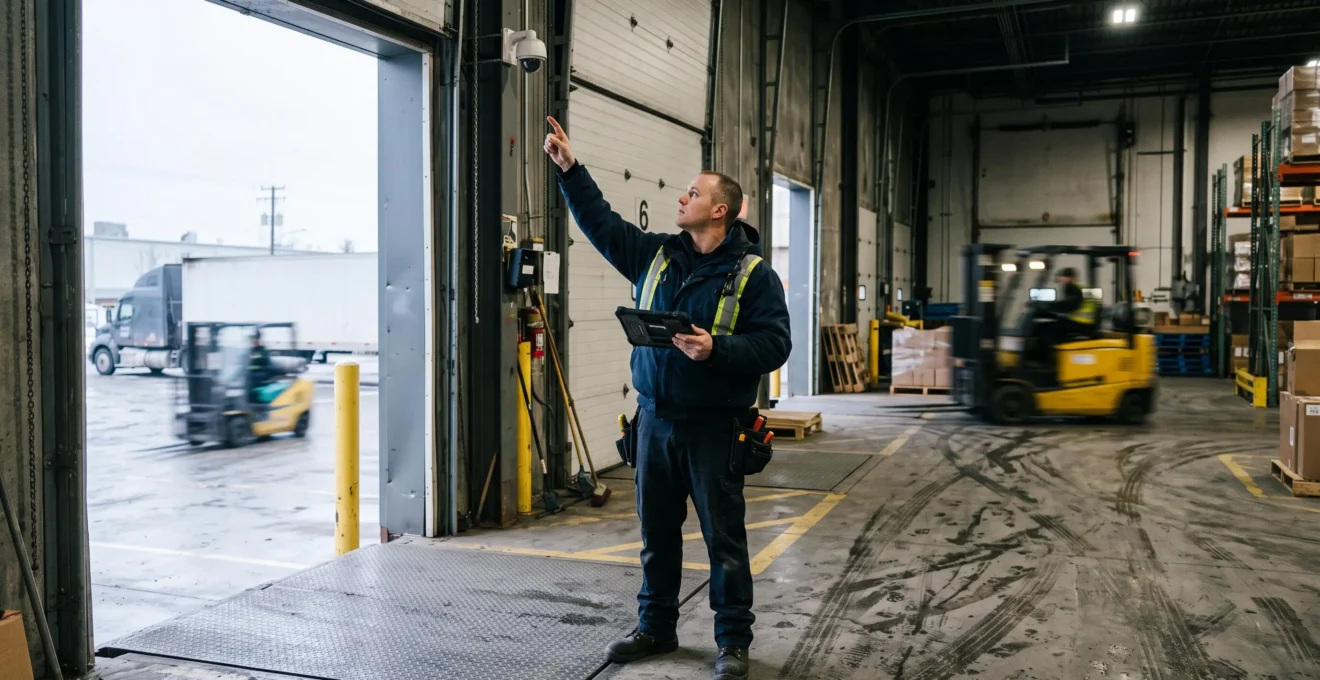
High-definition IP cameras produce reliable security footage only when their optical coverage, lighting performance, compression settings and recording infrastructure match the site’s actual surveillance objectives. A camera advertised as 4K may capture an extensive warehouse entrance while preserving too little facial detail to support an investigation. Conversely, a properly positioned camera with lower nominal resolution may produce more useful recordings.
For Canadian facility managers replacing outdated surveillance equipment, the purchasing decision should begin with the evidence required at each location. Monitoring activity across a loading yard is different from obtaining a detailed image of someone entering a restricted doorway. Each task demands a different field of view, pixel density and recording configuration.
Network capacity, storage reliability, seasonal lighting and privacy controls also determine whether footage remains available and usable when an incident occurs. Evaluating those conditions before ordering equipment helps avoid expensive replacements that reproduce the weaknesses of the previous system.
What matters when selecting high-definition IP cameras
- Define the required visual detail at the subject’s actual location rather than relying on the camera’s advertised resolution.
- Test archived footage under representative lighting, movement and network conditions before accepting an installation.
- Verify recording continuity, storage capacity and secure access procedures alongside camera image quality.
- Why Can 4K Security Cameras Still Produce Unusable Facial Detail?
- How Can You Estimate Camera Pixel Density at a Warehouse Entrance?
- Wide Dynamic Range or Infrared Cameras for Bright Loading Bay Entrances?
- Why Network Congestion Causes Missing Frames in IP Camera Recordings
- When Should Businesses Replace Cameras Instead of Adjusting Their Settings?
- Why Do Surveillance Archives Have Missing Footage During Critical Incidents?
- How Can You Create Camera Detection Zones Around Loading Docks?
- How Can Property Managers Access Live and Archived Security Footage Securely?
Why Can 4K Security Cameras Still Produce Unusable Facial Detail?
A 4K security camera can produce unusable facial detail because its 3840 horizontal pixels cover the entire scene, not an individual face. Subject distance, lens selection, camera angle, motion, lighting and compression determine how much recognizable information survives. High sensor resolution therefore does not guarantee that archived footage will support facial identification.
Consider a camera overlooking an entire warehouse loading area. Much of its image may contain walls, parked trailers and pavement, leaving only a small portion of the frame for a person approaching a doorway. Enlarging that person’s face during playback does not recover detail that the original recording never captured.
The key distinction is between nominal image resolution and effective pixel density at the subject. A narrow field of view concentrates available pixels on a smaller area, while a wide-angle lens distributes them across more of the scene. A camera positioned to oversee vehicle movements may consequently be unsuitable for examining faces.
Compression introduces another limitation. H.264 and H.265 reduce the information needed to transmit and store video. When the configured bitrate cannot accommodate a complex scene, compression may remove fine details such as facial contours, clothing textures and small objects.
The Axis Communications white paper on IP video bitrate control explains how restrictive bitrate settings can affect details needed for forensic review. A heavily compressed 4K recording can therefore be less useful for a particular task than a well-configured 1080p recording. However, bitrate figures alone cannot establish image quality across different codecs, cameras and scenes.
Lighting and motion can further reduce clarity. A long exposure may brighten a dark entrance but blur a moving face. A short exposure limits motion blur while potentially increasing image noise. Strong backlighting can leave facial features in shadow even when the surrounding image appears sharp.
Before purchase, request original archived recording samples captured at comparable distances, angles and lighting conditions. Review people moving through the relevant area during daylight and darkness, then inspect the actual exported files frame by frame. Do not judge performance solely from promotional still images or a live preview.
Once the required image detail is defined, pixel-density calculations can help determine the field of view a camera must cover.
How Can You Estimate Camera Pixel Density at a Warehouse Entrance?
Estimate camera pixel density by dividing the recording’s horizontal pixel count by the horizontal width of the scene at the target distance. The result, expressed in pixels per metre (PPM), helps determine whether a camera provides sufficient detail for the intended surveillance task. The calculation must use the actual lens, mounting geometry and subject position.
The basic formula is:
Pixel density (PPM) = horizontal image pixels ÷ scene width in metres
A 3840-pixel-wide recording covering a 12-metre scene provides 320 PPM. Covering an 8-metre scene with the same horizontal resolution produces 480 PPM. These are theoretical calculations, not measured performance results.
The distinction between monitoring a person’s presence and examining their identity matters. The IEC 62676-4:2025 framework described in an Axis Communications white paper on IEC 62676-4:2025 pixel density identifies seven operational requirements with different guideline densities.
500 PPM
The guideline pixel density associated with the standard’s « validate » category, intended for verification of a known person. It is a planning guideline, not a guarantee of successful identification.
Axis Communications, discussing IEC 62676-4:2025.
The updated framework distinguishes overview, outline, discern, perceive, characterize, validate and scrutinize. It should not be treated as interchangeable with the detection, observation, recognition and identification terminology commonly associated with earlier surveillance guidance.
For a warehouse entrance, a facility manager should define whether the goal is to observe arrivals, characterize an unfamiliar person or obtain detail suitable for a more demanding identity-related examination. The appropriate target depends on that objective, not on a universal legal pixel-density requirement.
Hypothetical warehouse entrance calculation
Assume a Canadian warehouse uses a 4K camera recording 3840 horizontal pixels. For illustration, the installed lens and camera distance produce a measured horizontal scene width of 12 metres at the intended subject position.
- Record horizontal resolution: 3840 pixels.
- Measure the target scene width: 12 metres.
- Calculate pixel density: 3840 ÷ 12 = 320 PPM.
- Compare 320 PPM with the operational requirement. It exceeds the 250 PPM guideline for characterize but falls below the 500 PPM guideline for validate.
- Consider narrowing the field of view. If the same camera covers 8 metres at the subject position, the theoretical density becomes 3840 ÷ 8 = 480 PPM, still below the 500 PPM guideline.
The example does not assume a standard Canadian dock width or a specific lens focal length. Actual coverage must be established using the sensor, lens and installation geometry.
Mounting angle can make calculated density misleading. An elevated camera looking steeply downward may capture the top of someone’s head rather than a usable frontal view. Freight, forklifts and open doors may obstruct the target even when the drawing indicates sufficient coverage.
Measure the distance to the person at the relevant point of passage rather than simply measuring to the wall or door frame. Verify actual image performance with a person occupying that location.
A dedicated entrance camera may be justified when a panoramic unit cannot deliver the required detail. The next challenge is preserving that detail through difficult lighting conditions.
Wide Dynamic Range or Infrared Cameras for Bright Loading Bay Entrances?
Wide dynamic range (WDR) is generally the relevant technology for bright loading bay entrances where exterior daylight contrasts with a darker warehouse interior. Infrared (IR) illumination primarily addresses insufficient visible light. Facilities operating during both day and night may need cameras with complementary WDR and IR capabilities, selected according to each camera’s viewing conditions.
When a dock door opens onto a bright sky or snow-covered yard, the camera must record substantial differences in brightness within one image. Exposing for the exterior can leave interior faces in shadow; exposing for the interior may wash out details outside.
WDR imaging addresses this challenge through methods that preserve information across bright and dark regions. Some implementations combine exposures of different durations, while others employ sensor-based or digital processing techniques.
Multi-exposure processing also has limitations. If a person moves between exposures, the resulting image may show ghosting, blur or other artifacts. A high WDR specification in decibels does not establish how well the camera handles a moving person crossing a warehouse entrance.
The Axis Communications technical white paper on wide dynamic range describes the importance of evaluating exposure techniques, subject movement and scene complexity rather than judging performance from a single specification.
Infrared illumination serves a different purpose. At night, it can help a compatible camera capture scenes where visible illumination is inadequate. It does not solve the underlying exposure imbalance created by strong daylight entering a dark building.
IR performance also depends on nearby materials. Reflective metal doors, dock curtains and forklift components can return intense infrared light toward the camera. Depending on the illumination geometry and exposure controls, this may create bright regions and obscure nearby subjects.
The choice should therefore be made by camera position and operating conditions, not by applying one technology uniformly across the property.
| Operating condition | WDR | Infrared illumination |
|---|---|---|
| Bright exterior and dark interior | Relevant for handling extreme contrast | Does not directly solve daylight backlighting |
| Dark entrance with insufficient visible lighting | Cannot create missing illumination | Can improve visibility within its effective range |
| Moving people crossing a backlit doorway | Requires testing for motion artifacts | Depends on illumination, exposure and movement |
| Nearby reflective metal surfaces | May help with visible-light contrast | May require careful placement and intensity control |
Evaluate each entrance with doors open and closed, during bright daylight, low-angle winter sunlight, dusk and nighttime operations. Capture actual recordings containing representative moving subjects, then compare facial detail rather than overall image brightness.
Even a correctly exposed, sharply focused image can lose useful information if its network stream or recorder is unable to preserve the original video reliably.
Why Network Congestion Causes Missing Frames in IP Camera Recordings
Network congestion can cause missing or damaged frames in IP camera recordings when available bandwidth, switching capacity or recording throughput cannot accommodate incoming video traffic. Depending on the transport protocol and buffering mechanisms, packet loss may produce artifacts, temporary interruptions or missing recorded frames. Reliable evidence capture therefore requires testing the entire recording path under peak operating conditions.
IP cameras continuously transmit compressed video to a network video recorder (NVR), video management system or other recording destination. Traffic demand changes with scene complexity, motion, lighting and encoding settings. Multiple cameras can generate higher traffic simultaneously when a facility becomes busy.
On an overloaded network, packets may be delayed or dropped. Some transport configurations can retransmit missing data, but successful recovery depends on available time, bandwidth and application behaviour. Others prioritize low-latency delivery, which can make losses more visible in the recorded stream.
Frame loss is not always obvious during ordinary playback. A short interruption may appear as a minor movement discontinuity, while closer frame-by-frame examination reveals missing information around an incident.
Diagnose recording reliability at the segment level rather than relying on the nominal speed printed on a switch. Include the camera connections, uplinks, NVR interfaces and sustained recorder writing capacity.
- Measure actual traffic during busy warehouse operations, including periods when several loading docks are active.
- Compare simultaneous camera bitrates with available network and recording throughput, allowing for variability and overhead.
- Check switch port utilization, interface error counters, packet drops and NVR recording logs.
- Assess whether the Power over Ethernet (PoE) switch has adequate power capacity as well as network capacity.
- Consider a dedicated camera VLAN to improve traffic separation, while recognizing that VLAN segmentation alone does not add bandwidth.
Compression settings must balance image quality against network and storage limits. Increasing the maximum bitrate may preserve detail in complicated scenes, but a poorly sized network can become less reliable if traffic increases beyond its capacity.
Multiple streams offer a practical alternative. A high-quality main stream can serve the recorder, while a lower-resolution or lower-bitrate secondary stream supplies routine live viewing. This arrangement reduces unnecessary viewing traffic without intentionally compromising the primary archive.
Any configuration change should be evaluated using exported recordings, not merely an improved live image. Confirm that the recorder receives and stores the intended main stream at the specified frame rate.
When network and compression limitations have been addressed, remaining image defects can be assessed as either correctable settings problems or genuine equipment limitations.
When Should Businesses Replace Cameras Instead of Adjusting Their Settings?
Businesses should replace or upgrade security cameras when their optical, sensor or compatibility limitations prevent them from meeting a defined surveillance objective. Configuration changes are preferable when exposure, framing, focus, compression or detection settings are responsible. The decision should follow documented testing because higher-resolution replacement hardware does not automatically improve usable evidence.
The first step is to isolate the cause of the problem. A poorly aimed camera may miss a person’s face even though its sensor and lens are suitable. Correcting its position or field of view could resolve the issue without replacing the device.
Similarly, an overly restrictive bitrate setting may create visible compression artifacts. Testing an appropriate recording configuration, within the available network and storage capacity, is more informative than immediately purchasing a different camera.
Physical limitations require a different response. A fixed lens may cover too wide an area to achieve the required pixel density. A sensor with inadequate low-light performance may produce unacceptable noise at shutter speeds needed to capture moving subjects. A camera may also lack the WDR capabilities required at a high-contrast entrance.
In some situations, adjusting camera placement, changing a compatible lens or improving illumination can resolve the limitation without replacing the entire unit. The correct intervention depends on the equipment’s design and installation constraints.
| Observed problem | Initial corrective action | When replacement may be justified |
|---|---|---|
| Incorrectly framed doorway | Adjust camera angle and field of view | Required coverage cannot be obtained from feasible mounting positions |
| Excessive compression artifacts | Review codec, bitrate and recording capacity | Encoder limitations prevent acceptable recorded detail |
| Blurred moving faces at night | Test shutter settings, lighting and placement | Sensor or optics cannot meet performance requirements |
| Insufficient pixels on distant subjects | Recalculate pixel density and evaluate lens options | Required optics or resolution cannot be achieved with existing hardware |
| Failure to integrate with the recorder | Check supported protocols, profiles and firmware | Required recording functions remain incompatible |
System compatibility also affects the economics of replacement. A new camera may advertise ONVIF support yet still require verification of the precise profiles and features supported by the existing recorder. Video recording, event handling and other functions should be tested individually where needed.
Proprietary integrations can introduce additional restrictions. If the existing NVR cannot accept the replacement camera’s required stream or functionality, the total project cost may include recorder or software upgrades.
Calculate the likely improvement in actual subject detail before approving a purchase. Replacing a wide-angle 4K camera with another high-resolution model while retaining the same unsuitable viewing geometry may simply reproduce the original failure.
After the equipment produces acceptable images, the system must also demonstrate that those images remain available throughout the required recording period.
Why Do Surveillance Archives Have Missing Footage During Critical Incidents?
Surveillance archives can contain missing footage because cameras stop recording, storage becomes unavailable, equipment loses power or timestamps no longer match real events. Recording interruptions may also follow network failures, maintenance or incorrect retention settings. A functioning live view is not sufficient evidence that archived video exists, is complete or can be retrieved when needed.
Storage planning is one source of failure. A recorder with inadequate capacity may overwrite older material sooner than expected, stop recording under certain configurations or reduce recorded quality to satisfy storage targets.
Retention duration must be evaluated alongside resolution, frame rate, codec behaviour and actual traffic. Extending a target retention period without increasing available storage may require reducing recorded information or accepting a shorter effective archive.
Power interruptions create another vulnerability. If the NVR, network switches or relevant upstream connections lose power, recording may stop even when some cameras remain energized. A correctly sized uninterruptible power supply (UPS) can mitigate short interruptions for the equipment it protects, but cannot eliminate every failure scenario.
Time synchronization deserves equal attention. If camera and recorder clocks drift, an event may have been recorded successfully but indexed under an incorrect timestamp. Investigators searching the expected time window could mistakenly conclude that the footage is missing.
Configure appropriate Network Time Protocol (NTP) synchronization and periodically verify timestamps against a reliable time reference. Check that daylight saving time and time zone settings are handled consistently, especially across facilities in different Canadian provinces.
Recording policies should also address maintenance interruptions, disconnected cameras, storage faults and firmware updates. Where supported, health alerts can help identify failures, but an alerting system is not a substitute for confirming that recordings are recoverable.
Five checks for a verifiable surveillance archive
- Review every camera’s recording timeline for the required period and save a dated coverage report identifying unexpected gaps.
- Check NVR storage usage, retention settings and overwrite behaviour, then document the available recording capacity and configured retention period.
- Verify NTP synchronization and compare selected camera timestamps against a trusted reference, preserving a time-verification record.
- Inspect power protection, camera connectivity and recording errors, then produce a maintenance log listing faults and corrective actions.
- Export a sample recording from a representative camera and play it using the intended review method, retaining a documented export-test result.
A weekly review is a practical internal maintenance cadence, although the appropriate frequency depends on operational risk and available monitoring capabilities. The purpose is to discover failures while corrective action remains possible, rather than after a critical incident.
Reliable archives preserve the available video. Properly configured detection zones then help personnel find relevant events within that footage without relying on excessive alerts.
How Can You Create Camera Detection Zones Around Loading Docks?
Effective loading dock detection zones focus alerts on meaningful movements, such as people crossing restricted entrances or vehicles entering designated bays. Configure line-crossing rules, detection areas, object-size filters and exclusions around actual traffic patterns. Seasonal lighting, snow and operational movement must be tested because a camera covering the correct area does not necessarily detect important events reliably.
Begin with a plan showing each dock entrance, pedestrian route, forklift corridor and restricted location. The objective is to distinguish events requiring attention from expected warehouse activity.
For example, a line-crossing rule positioned at a pedestrian access point can help flag entries into a controlled area. Directional rules, where supported, may distinguish inward from outward movement.
A separate vehicle detection region may be more suitable for a loading bay. Combining all motion into one broad detection area can generate alerts whenever a forklift passes, a trailer moves or a dock door opens.
Configure exclusion zones around predictable activity only when doing so does not hide the events the security system is intended to detect. An exclusion that suppresses routine forklift alerts could also suppress relevant activity if people and vehicles use the same space.
Object-size thresholds and sensitivity settings can reduce some unwanted triggers. However, aggressive filtering may miss distant people, partially obscured subjects or slow movements. Changes should be tested against both unwanted activity and realistic security events.
Canadian weather adds important variables. Falling snow, blowing snow, reflective ground surfaces and low winter sun can alter the appearance of a detection area. Wind-driven objects and changing shadows may also generate motion-based alerts.
Review detection performance across representative seasonal conditions rather than relying on a single configuration completed during installation. Seasonal profiles may be useful where the system supports them, but every adjustment should be validated against the required detection tasks.
Detection zones should also support evidence retrieval. When an alert corresponds to a clearly defined entrance or restricted zone, an operator can locate a relevant recording more efficiently.
Confirm that event-triggered recording, if used, captures enough context before and after the trigger to understand what happened. For higher-risk areas, consider whether continuous recording is appropriate so that missed analytics events do not create corresponding gaps in video coverage.
The resulting events and recordings become operationally valuable only when authorized personnel can retrieve them securely, with appropriate control over access and disclosure.
Key takeaways before enabling remote footage access
- Useful footage depends on coordinated camera performance, recording continuity and reliable event retrieval.
- Access permissions should reflect the operational responsibilities of each person rather than granting every user full recorder control.
- Evidence exports need traceable handling procedures, while retention and disclosure rules must reflect the applicable Canadian privacy framework.
How Can Property Managers Access Live and Archived Security Footage Securely?
Property managers can access live and archived security footage securely through properly configured VPN connections or supported remote-access platforms with strong authentication and restricted permissions. Each user should have an individual account appropriate to their duties. Access, exports, retention and disclosure must also follow documented procedures and applicable Canadian privacy requirements.
Exposing an NVR’s management interface directly to the public internet through port forwarding can increase security risk. Unpatched firmware, weak passwords and unnecessary open services may provide attackers with opportunities to compromise video or administrative controls.
A VPN can restrict access to authorized connections, provided its own authentication, configuration and maintenance are secure. A vendor-managed remote-access platform may also be suitable when its security features, data handling arrangements and access controls have been assessed.
Where supported, enable multifactor authentication, maintain current security updates and disable unused remote-management services. Avoid shared administrator credentials and remove default passwords before deploying equipment.
Access should be divided according to operational need:
- Property or facility managers: access to relevant cameras and archives for defined management responsibilities, without unnecessary system-administration rights.
- Security personnel: live monitoring and incident review permissions appropriate to assigned locations and duties.
- Maintenance staff: technical access required for diagnostics, with restrictions on viewing or exporting personal information where possible.
- External service providers: narrowly scoped access, preferably time-limited and revoked when the authorized work ends.
Footage showing identifiable people can constitute personal information under Canadian privacy legislation. The applicable requirements depend on the organization, location, activities and jurisdiction. The Personal Information Protection and Electronic Documents Act (PIPEDA) may apply in relevant circumstances, while provincial private-sector legislation, including Quebec’s modernized privacy framework commonly called Law 25, requires separate consideration.
The Office of the Privacy Commissioner of Canada‘s video surveillance guidelines recommend restricting access to recordings, establishing legitimate surveillance purposes, documenting disclosures and retaining footage only as long as necessary.
Those guidelines address overt private-sector surveillance in publicly accessible areas and expressly exclude employee and covert surveillance from their scope. They were issued in 2008 and do not constitute a complete statement of privacy requirements in October 2026. Facilities monitoring employees or operating in Quebec should review the additional laws and current guidance applicable to their circumstances.
For practical access governance, maintain an inventory of active accounts and assigned permissions. Review it whenever personnel change roles, leave the organization or complete external service engagements.
Verify that the platform records meaningful access and export events, including the relevant account, activity and time, where supported. Test these controls rather than assuming the presence of an audit-log feature guarantees complete traceability.
For evidence exports, establish a written process that identifies who may approve disclosure, how files are secured, how recipients are documented and how original recordings are preserved when necessary. Access controls should extend to downloaded files, not merely to the NVR interface.
A justified retention policy should address routine deletion as well as footage preserved for an active investigation or other legitimate purpose. There is no single retention period established by the cited federal guidance for every Canadian commercial surveillance installation.
Begin with a documented audit of camera performance, archived video availability, active user accounts and export procedures. Correct any demonstrated gaps before approving broader remote access or additional camera purchases.
Is 4K always necessary for commercial security cameras?
No. The appropriate resolution depends on the target scene width, viewing distance and required visual detail. A lower-resolution camera covering a narrow entrance may provide more useful subject detail than a 4K camera monitoring a much wider area. Optical performance, lighting and recording settings must also be considered.
Can digital zoom improve facial identification in recorded footage?
Digital zoom enlarges information already present in the recording but cannot reconstruct facial detail that was never captured. If the subject occupies too few pixels, greater magnification will not resolve the underlying density limitation. Camera placement, lens selection and sufficient original detail are more important.
Should security cameras record continuously or only when motion is detected?
Continuous recording can preserve activity that motion detection fails to flag, but it requires appropriate storage capacity and retention planning. Event-based recording can reduce storage demand but depends on reliable detection rules and sufficient pre-event and post-event context. Choose according to the site’s risks, operational needs and privacy obligations.
How can a business confirm that its NVR stores the intended image quality?
Export a representative archived recording and inspect its actual resolution, frame rate, compression quality and continuity. Compare footage captured under typical and demanding operating conditions with the established surveillance objective. Confirm that the stored stream, rather than only the live preview, provides the necessary detail.
Does Canadian privacy law require every business to retain surveillance footage for 30 days?
No universal 30-day requirement is established by the cited federal video surveillance guidance. Retention should reflect the legitimate purpose, applicable law and relevant operational or legal obligations. Organizations should document a justified retention period and provide for secure deletion when recordings are no longer required, subject to any applicable preservation obligations.