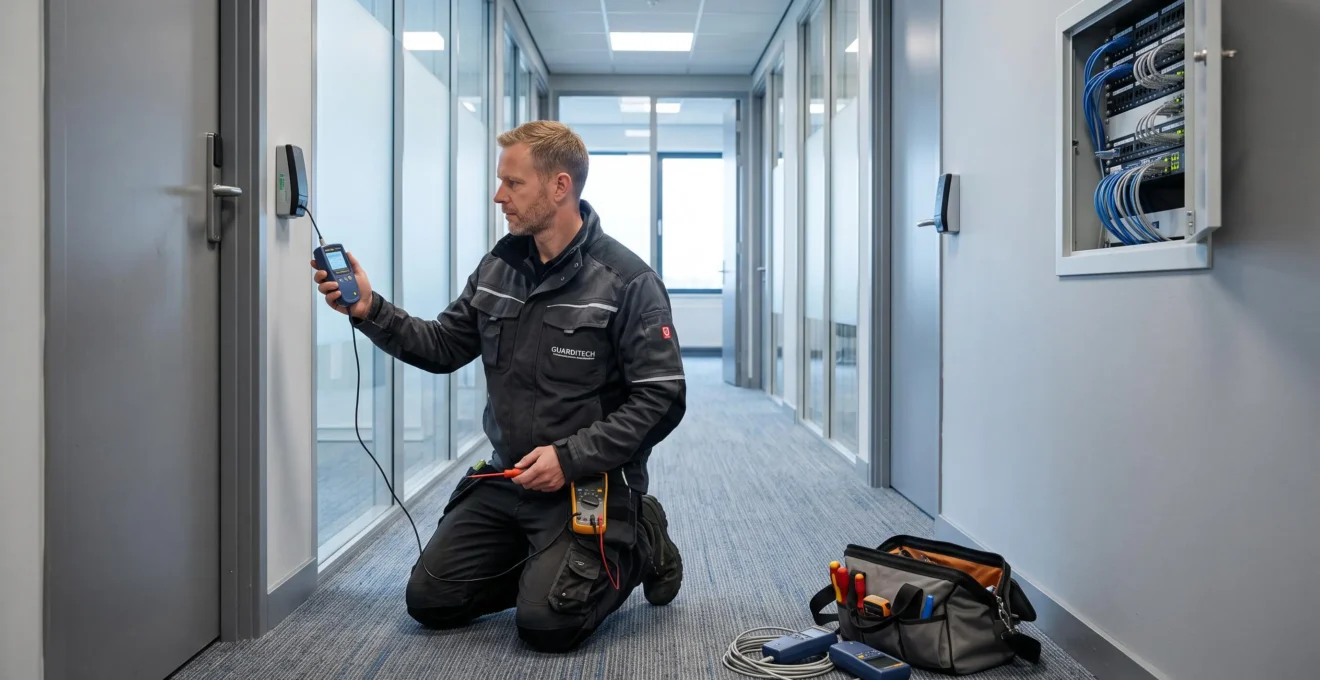
A security ecosystem is only adaptable when its interconnected components can be maintained, replaced, and operated through disruptions without creating unacceptable protection gaps. For Canadian property operators and corporate security leaders, resilience depends less on purchasing the newest equipment than on understanding how access control, surveillance, alarms, identity management, and supporting networks interact.
A functioning camera may have unsupported firmware. A reliable access reader may use an outdated credential technology. A centralized management platform may simplify operations across provinces while introducing a shared point of failure. These risks can remain hidden until a system upgrade, security incident, or organizational expansion exposes them.
Building long-term resilience therefore requires a documented asset lifecycle, verifiable interoperability, selective modularity, and clear operational responsibilities. Organizations also need to distinguish immediate vulnerabilities from future compatibility concerns, allowing investment decisions to reflect actual exposure rather than equipment age alone.
What makes a security ecosystem resilient?
- Lifecycle visibility: Track device support, firmware, dependencies, and replacement requirements before equipment becomes a liability.
- Architectural flexibility: Verify interoperability and data portability so individual technologies can evolve without forcing complete system replacement.
- Operational continuity: Test how access control, video, identity management, and site operations behave when shared services or communications fail.
- Why Can One Unsupported Security Component Weaken an Entire Facility?
- How Can Businesses Avoid Vendor Lock-In When Expanding Security Systems?
- Modular Security Architecture or Single-Vendor Systems for Growing Companies?
- Why Unsupported Security Devices Become Risks Before They Stop Working
- When Should a Growing Business Redesign Its Security Technology Ecosystem?
- Why Can Security Platform Outages Affect Multiple Sites at Once?
- When Should an Access Reader Be Replaced Rather Than Repaired?
- How Can Canadian Businesses Align Physical and Digital Security Without Coverage Gaps?
Why Can One Unsupported Security Component Weaken an Entire Facility?
One unsupported component can weaken an entire facility when its vulnerabilities, outdated protocols, or unreliable event reporting affect systems that depend on it. In an interconnected environment, a neglected access reader, controller, or networked camera may create a path around otherwise effective protections. The actual impact depends on its connectivity, privileges, exposure, and compensating controls.
Modern commercial properties often combine electronic locks, intrusion detection, surveillance cameras, and centralized monitoring. These technologies exchange information to establish what happened, where it happened, and whether an authorized person was involved.
Consider a hypothetical Canadian office building with dozens of controlled entrances. Most doors use updated readers and encrypted communications, but a secondary entrance retains older technology. If that reader can be bypassed or produces incomplete events, the security team may lose a reliable connection between physical entry, credential use, and video evidence.
The problem can extend beyond the doorway. An investigation may require additional manual verification, while incomplete records could undermine the reliability of an internal audit. This does not mean every unsupported device compromises every connected system; it means that the weakest dependency can reduce the assurance provided by stronger components.
The distinction between functional and security failure is critical. An unsupported device may still unlock doors or transmit video normally, even though its manufacturer no longer provides vulnerability corrections. Operational success is therefore not proof of continued security support.
The Government of Canada system management and end-of-life requirements describe asset inventories containing software and firmware versions, patch histories, and support timelines. They also address planned replacement and compensating controls for end-of-life components. These are federal IT requirements, not universal obligations for Canadian private businesses, but they provide a useful lifecycle-management reference.
A practical first test is to identify every device beyond its published support period, then determine whether network isolation, secondary authentication, monitoring, or another protection meaningfully reduces its exposure.
This dependency-based assessment also clarifies purchasing decisions: replacements should strengthen the ecosystem without unnecessarily restricting future technology choices.
How Can Businesses Avoid Vendor Lock-In When Expanding Security Systems?
Businesses can reduce vendor lock-in by evaluating interoperability, credential portability, documented interfaces, and contractual migration rights before purchasing additional security equipment. Compatibility with an existing platform is not enough. A resilient procurement strategy verifies whether devices, identity records, and operational data can remain usable when the organization changes software providers, integrators, or hardware manufacturers.
Vendor dependence often develops through incremental decisions. A new controller requires proprietary licensing, an expansion uses credentials tied to one manufacturer’s encoding system, and a software upgrade introduces integrations available only through exclusive connectors.
Each purchase may seem reasonable, but the accumulated dependencies can make a later migration disproportionately difficult. A Canadian operator changing regional integrators could face credential re-enrolment, controller reconfiguration, staff retraining, and interruptions to established workflows.
Integration and interoperability are not interchangeable. Integration means two products can exchange information through a particular arrangement. Interoperability means their documented interfaces and supported functions allow compatible alternatives to participate without requiring the same proprietary connection.
Before approving an expansion, purchasing and security teams should examine several technical and contractual conditions:
- Video interoperability: Verify relevant ONVIF profiles, registered product conformance, and the specific functions required by the video management platform.
- Reader communications: Compare supported OSDP configurations with legacy Wiegand connections, including whether secure-channel functionality is supported and correctly implemented.
- Credential portability: Establish whether cardholder records, identifiers, and credential technologies can migrate without unnecessary mass re-enrolment.
- Documented APIs: Confirm available functions, authentication methods, version support, and restrictions on third-party integration.
- Exit provisions: Require clarity on data exports, administrative access, migration assistance, licensing termination, and ownership of configuration records.
The ONVIF interoperability profiles for physical security products define specific sets of supported functions for compatible devices and clients. ONVIF conformance must be checked against the relevant registered product and profile; it does not guarantee that every feature works across manufacturers.
Technical demonstrations should include a realistic substitution test: can a third-party device perform the required function, retain accurate events, and remain supported after a software update? Written vendor assurances should identify the tested product versions and any certification restrictions.
Reducing lock-in does not require eliminating every proprietary component. It requires understanding which dependencies are acceptable and preventing convenience today from becoming an unavoidable replacement cost tomorrow.
Modular Security Architecture or Single-Vendor Systems for Growing Companies?
A modular security architecture generally offers greater component-level flexibility, while a single-vendor system can simplify deployment, training, and support. The better choice depends on organizational scale, acquisition plans, internal expertise, and acceptable operational risk. Growing multi-site businesses often benefit from selective modularity rather than assuming that either a fully integrated or fully independent architecture is universally superior.
For an organization consolidating operations at one property, a unified platform may reduce integration work and simplify administrator training. Centralized support can also make incident escalation easier when one provider is responsible for multiple technologies.
However, that simplicity concentrates technical and commercial dependencies. If the manufacturer discontinues a product line or changes licensing, replacing one layer may require changes elsewhere.
Modular architectures distribute those dependencies. They can allow surveillance, access control, identity management, and analytics to evolve on different schedules, provided the interfaces remain compatible and supported.
The trade-off becomes clearer when comparing operating priorities.
| Decision criterion | Single-vendor architecture | Modular architecture |
|---|---|---|
| Initial integration | Often simpler within the supported product family | Requires interface testing and coordination |
| Training | Potentially fewer administrative environments | May involve multiple management tools |
| Component replacement | May depend on vendor-approved alternatives | Can support independent replacement where interfaces permit |
| Support accountability | Often concentrated with one provider | Must be clearly allocated across suppliers |
| Long-term flexibility | Depends heavily on vendor roadmap and licensing | Depends on sustained interoperability and integration governance |
A practical compromise is to identify decoupling points: the places where one technology layer can be replaced without redesigning the entire environment.
For example, a business might standardize its identity-management process while supporting multiple compatible camera models. It could retain a common access-control platform but select readers and controllers with clearly documented migration paths.
Not every interface is inexpensive to separate. Credential encoding, controller firmware, and proprietary database structures may create dependencies that require significant engineering work.
There is also a risk of false modularity. A vendor may advertise open protocols while restricting practical compatibility to a manufacturer-controlled certification list. Procurement reviews should therefore combine contractual checks with demonstrations using representative third-party equipment.
The most resilient design is usually one whose dependencies are deliberate, documented, and manageable throughout the equipment lifecycle. That becomes especially important when devices remain operational after formal support ends.
Why Unsupported Security Devices Become Risks Before They Stop Working
Unsupported security devices can become risky before failing because manufacturer support, cybersecurity protection, and physical operation follow different timelines. A camera may continue recording or a reader may still authenticate credentials after security updates end. The resulting exposure depends on known vulnerabilities, network accessibility, available safeguards, and whether the device remains compatible with surrounding systems.
Three separate forms of deterioration can affect an unsupported device.
- Security maintenance declines: New vulnerabilities may remain uncorrected when firmware patches are no longer available.
- Compatibility deteriorates: Updated platforms, authentication methods, or communication standards may no longer work reliably with older equipment.
- Serviceability decreases: Replacement parts, technical documentation, vendor expertise, and repair tools may become difficult to obtain.
These changes do not necessarily occur together. Missing security updates may create concerns long before a visible malfunction, while incompatible software can disrupt operations even when the hardware itself remains sound.
The Government of Canada patch management guidance describes a lifecycle of assessing, acquiring, testing, prioritizing, deploying, and validating patches. It also identifies asset inventory, vulnerability management, configuration management, and change management as supporting capabilities.
Although the guidance addresses federal IT environments, these practices provide a useful model for evaluating connected physical security equipment.
For Canadian organizations operating in regulated sectors, unsupported equipment may also raise questions about whether security risks were reasonably identified and addressed. Legal consequences depend on applicable legislation, contractual duties, industry expectations, and the facts of an incident. Unsupported status alone does not establish negligence.
A practical replacement ranking should examine network exposure, the number of people or critical operations potentially affected, and whether effective alternatives are available.
Temporary isolation can reduce exposure, but it is not permanent lifecycle remediation. An isolated device may face new risks if reconnected during a merger, technology migration, or emergency maintenance activity. Its configuration should therefore be reviewed before reconnection.
Once those risks are visible, property operators can determine whether targeted replacements remain sufficient or whether accumulated limitations justify a broader redesign.
When Should a Growing Business Redesign Its Security Technology Ecosystem?
A growing business should consider redesigning its security ecosystem when existing technology creates recurring compatibility failures, unacceptable security exposure, rising maintenance burdens, or barriers to expansion. Objective triggers include exhausted licensing capacity, multiple unsupported components, unmet insurer or regulatory requirements, and repeated integration problems. A redesign can be phased rather than requiring an immediate facility-wide replacement.
Organizational growth changes the economics of security technology. Acquisitions may bring different access-control platforms, credential formats, surveillance systems, and maintenance contracts into the same operating environment.
Initially, adapters and manual procedures may preserve continuity. Over time, however, each additional connection can increase administration, troubleshooting, and dependency management. The cost of maintaining these arrangements may eventually exceed the cost of migrating toward a more coherent architecture.
Security leaders should distinguish between a full redesign and a phased replacement programme. The appropriate decision depends on current risk, migration complexity, budget availability, and the operational cost of delaying change.
The following conditions can support a structured decision:
- Licensed device or user capacity is approaching a documented limit.
- Unsupported equipment affects critical entry points or core management functions.
- A new insurance, contractual, or compliance requirement cannot be met with existing capabilities.
- Integrations repeatedly fail after upgrades or require extensive manual intervention.
- The incumbent provider no longer offers adequate support or a credible product roadmap.
- Expansion pricing, response times, or recurring integration costs are deteriorating measurably.
To compare phased and comprehensive redesign options, estimate the cost of continued maintenance alongside migration expenditure, operational downtime, staff training, and the risks left unresolved by each option. These estimates should use supplier quotations and the organization’s own maintenance records rather than generic industry assumptions.
Five actions to build a security redesign decision file
- Inventory the ecosystem: Record connected devices, firmware versions, ownership, support status, and dependencies in a dated asset register.
- Rank operational exposure: Assess network accessibility, affected people and operations, and available safeguards; produce a prioritized risk register.
- Test substitution options: Verify representative third-party integrations and document the results in a compatibility matrix.
- Compare migration approaches: Obtain current cost estimates for phased upgrades and full replacement, producing a decision comparison with operational constraints.
- Approve an implementation sequence: Assign owners, milestones, rollback conditions, and acceptance tests in a documented modernization roadmap.
The strongest redesign proposals explain not only which equipment should change, but also which measurable risks and recurring costs the change will resolve.
Architecture improvements should also account for operational continuity. Even a modern system can create widespread disruption when multiple properties depend on the same service.
Why Can Security Platform Outages Affect Multiple Sites at Once?
Security platform outages can affect multiple properties simultaneously when those sites depend on centralized management servers, shared cloud services, identity databases, or common telecommunications connections. Centralization improves administration but can concentrate failure risk. The consequences depend on how local controllers operate independently, whether redundant services exist, and how each security function behaves during communication loss.
A Canadian organization managing properties across several provinces may prefer one platform for access permissions, video monitoring, and incident reporting. This reduces duplicated administrative work and can help enforce consistent policies.
However, the shared infrastructure may become a common dependency. If the central authentication service, management database, or cloud connection becomes unavailable, multiple sites may lose some capabilities at the same time.
It is important to distinguish a platform outage from a complete security failure. Depending on the architecture, doors may continue validating locally stored permissions, cameras may retain recordings on local storage, and controllers may synchronize events once communications return.
Other systems may lose administrative access, reliable centralized timestamps, or event collection. The behaviour of each function must be verified rather than assumed.
The Canadian Centre for Cyber Security critical infrastructure resilience initiative highlights dependencies involving telecommunications networks, internet services, and shared data flows. It emphasizes independent operations, isolation, and recovery planning for critical infrastructure and essential service operators. Its recommendations are not universal operating requirements for every Canadian commercial property.
For geographically distributed facilities, an effective evaluation should address four questions:
- Can local access controllers continue making authorized decisions without the central platform?
- What happens to door locking behaviour, emergency egress, local video recording, and event logs during an outage?
- Are backup services available, and has the organization tested the conditions required for failover?
- How long can each site operate in degraded mode before additional operational controls become necessary?
Any fail-secure or fail-safe configuration must be evaluated alongside applicable fire, building, life-safety, and accessibility requirements. An outage must never compromise required emergency egress.
Canada’s geographic scale makes centralized security administration attractive, particularly where regional technical support is limited. That same geographic distribution can complicate on-site recovery after a widespread failure.
System resilience is therefore measured not only by uptime, but also by what essential protections remain available when normal management services are interrupted.
When Should an Access Reader Be Replaced Rather Than Repaired?
An access reader should generally be replaced rather than repaired when it cannot support the required credential security, lacks reliable manufacturer support, is incompatible with planned systems, or costs more to maintain than a suitable replacement. Age alone is insufficient. The decision should consider security capabilities, spare-part availability, labour, future compatibility, and the reader’s role in controlling access.
A damaged enclosure or worn display may justify a straightforward repair when the underlying device remains supported and secure. Replacing a cosmetic component, however, does not update firmware, strengthen credential encryption, or restore lost manufacturer support.
Security capability should take priority when a reader accepts only legacy, unencrypted credential technologies that no longer meet the property’s risk requirements. Similarly, communications using older interfaces may lack protections supported by appropriately configured modern alternatives.
This distinction matters because a mechanically functional device can still have an unacceptable security profile.
A practical evaluation should compare:
- Parts availability: Can the reader be repaired with compatible, reliable components?
- Supported security: Does it accommodate the credential and communication protections required by the organization?
- Platform compatibility: Will the repaired device work with the planned access-control architecture?
- Repair cost: What is the combined cost of parts, labour, configuration, and testing?
- Remaining service life: Is ongoing manufacturer support available, or will the same dependency soon require replacement?
The financial decision should be based on expected future costs, not only the immediate repair quotation. Property operators can compare repair expenditure and anticipated additional interventions over the planning period with replacement, installation, credential transition, and training costs.
A reader whose manufacturer has discontinued the product may still be repairable, but continuing repairs can increase total ownership costs if spare parts become scarce or future integration requires another intervention.
For high-consequence entrances, organizations should also consider exposure during maintenance and the availability of alternative access arrangements. The cheapest intervention is not necessarily the one that preserves acceptable protection.
Reader decisions also reveal a broader architectural issue: physical access technologies are most effective when their identity and permission controls remain aligned with the organization’s digital systems.
Key takeaways for long-term security decisions
- Make technology replacement decisions using documented risk, compatibility, and lifecycle costs rather than equipment age alone.
- Require proof of local continuity and recovery behaviour whenever multiple properties share central security services.
- Assign joint ownership of identity and access processes so physical entry rights and digital permissions do not develop separate, unmanaged lifecycles.
How Can Canadian Businesses Align Physical and Digital Security Without Coverage Gaps?
Canadian businesses can align physical and digital security by establishing shared identity governance, coordinated access changes, and clear responsibilities between facilities, corporate security, and IT teams. The objective is to ensure that physical credentials and digital accounts reflect the same authorization decisions. This reduces residual access, inconsistent permissions, and gaps created by separate administrative processes.
Physical and digital security systems are often managed by different departments. Facilities teams administer building credentials, while IT manages accounts, devices, and network permissions. Separate budgets and vendor relationships can reinforce this division.
The resulting gaps are frequently procedural rather than purely technical. An employee may lose access to company applications while retaining an active building badge. Conversely, a contractor may receive temporary physical access but keep unnecessary digital privileges after the assignment ends.
One way to reduce these inconsistencies is to manage access through a shared identity lifecycle:
- Onboarding: Record the individual’s approved role, employment or contractor status, and permitted physical and digital resources.
- Role changes: Review building zones and digital permissions together when responsibilities change.
- Temporary access: Define expiration conditions for contractors, visitors, and short-term assignments.
- Offboarding: Trigger coordinated physical and digital revocation when access is no longer authorized.
- Verification: Reconcile identity and access records to identify permissions that remain active unexpectedly.
A common identity record can support these activities without requiring every system to use the same vendor. Where integration is unavailable, documented procedures and reconciliation reports can provide transitional controls.
For example, in a hypothetical Canadian corporate office, an employee’s digital account is disabled at departure, but an independently administered access badge remains active. That discrepancy could permit physical entry even though normal application access has ended. Coordinated revocation and regular exceptions reporting would reduce this particular exposure.
Canadian federal cybersecurity and system-management guidance provides useful reference principles for asset visibility, configuration control, and operational security. Organizations can apply these principles to justify a joint security governance programme, while separately confirming any sector-specific legal or regulatory duties that apply to them.
Joint governance should establish who approves access, who implements changes, which system records authoritative identity information, and how discrepancies are escalated. Performance measures can include outstanding revocations, unresolved identity mismatches, and overdue access reviews.
The next practical step is a joint physical-and-digital access review covering one representative property or business unit. Document mismatched permissions, unsupported technologies, and ownership gaps, then use those findings to establish a prioritized improvement roadmap that can scale across the organization.
How frequently should a security ecosystem be reviewed?
Review frequency should reflect device criticality, exposure, organizational changes, and applicable obligations. Asset records should also be updated when equipment, firmware, integrations, or vendor support conditions change. Significant acquisitions, incidents, and platform migrations should trigger additional architecture reviews rather than waiting for the next scheduled assessment.
Can legacy security equipment remain in service during modernization?
Yes, when a documented risk assessment supports continued operation and appropriate compensating controls are effective. Possible measures include network segmentation, additional monitoring, restricted connectivity, and controlled replacement scheduling. These measures require periodic validation and do not restore manufacturer support or eliminate every underlying vulnerability.
Does using open security standards eliminate vendor lock-in?
No. Open standards can reduce compatibility barriers, but actual independence also depends on supported features, credential formats, licensing, export capabilities, and contractual conditions. Organizations should test representative substitutions and migration procedures before assuming that equipment can be replaced freely.
What information should be requested from a security integrator before signing a long-term agreement?
Request documentation of supported equipment, firmware maintenance responsibilities, interface compatibility, administrative access rights, data export procedures, support escalation, lifecycle policies, and continuity arrangements. The agreement should also clarify responsibilities when an integration fails or equipment becomes unsupported.
Can a Canadian organization improve security resilience without replacing its entire platform?
Often, yes. Targeted improvements may include replacing high-risk readers, updating supported firmware, separating critical network functions, improving identity synchronization, and testing local operation during outages. Whether these improvements are sufficient depends on the architecture, current exposure, migration constraints, and the organization’s protection requirements.