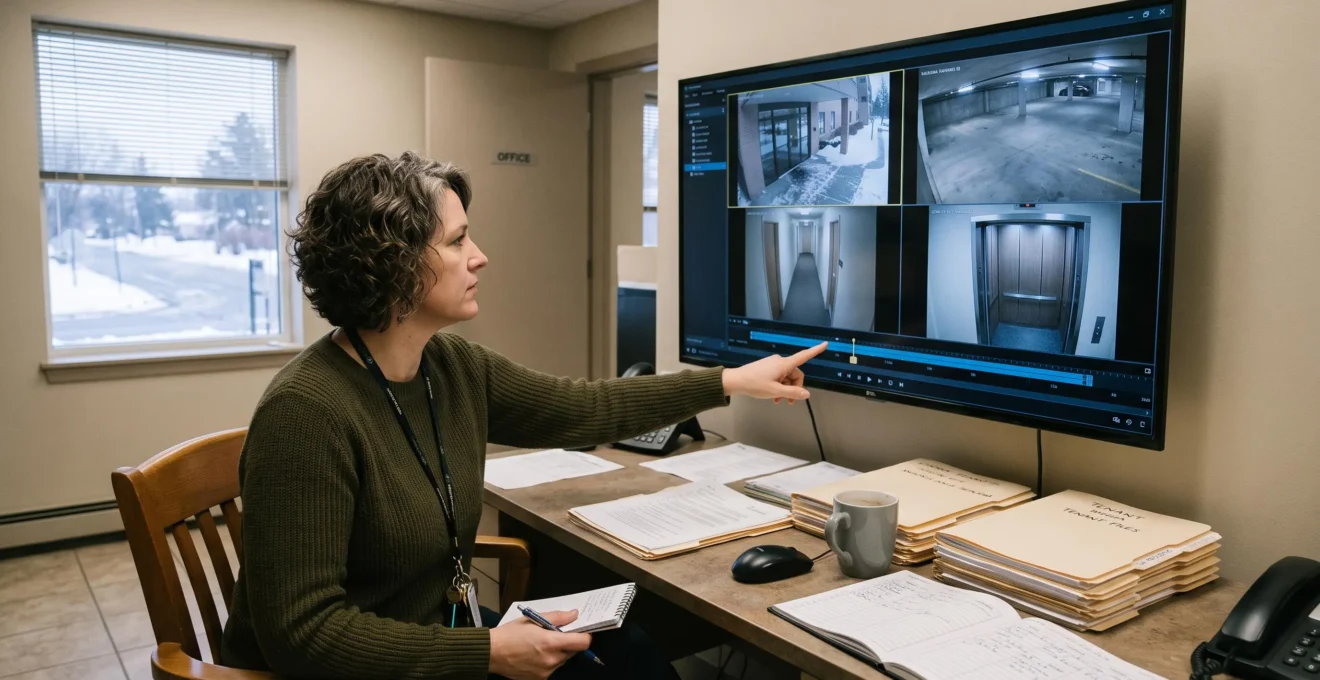
Property managers can access live and archived security footage securely through a centrally managed video surveillance platform that provides encrypted remote connections, individual user permissions, monitored recording systems and protected historical storage. The critical distinction is between being able to open a camera feed remotely and being able to retrieve a complete, trustworthy recording when an incident is investigated weeks later.
For Canadian operators responsible for multiple residential buildings, the challenge extends beyond connectivity. Cameras may remain accessible while their recording drives have failed, archives may be overwritten before an insurance review begins, and shared staff credentials can make it impossible to establish who accessed sensitive footage. A workable surveillance infrastructure must address all three risks: availability, integrity and accountability.
That means treating recorded video as an operational record rather than simply a live monitoring tool. Recording health, retention policies, network performance, evidence exports and access logs all require consistent oversight across the portfolio. Canadian privacy obligations also influence how identifiable footage is collected, accessed, disclosed and retained.
Key Principles for Secure Surveillance Access
- Use encrypted remote access, named user accounts and role-based permissions instead of publicly exposed camera interfaces or shared administrator passwords.
- Verify recording continuity and retention depth across every building; an accessible live feed does not prove historical footage exists.
- Protect incident recordings before automatic deletion, preserve export integrity and maintain an auditable record of who accesses or transfers evidence.
- Why Do Surveillance Archives Have Missing Footage During Critical Incidents?
- How Can You Enable Remote Video Viewing Without Publicly Exposing Cameras?
- Cloud Video Storage or Local NVR for Multiple Canadian Locations?
- The Export Mistakes That Can Compromise Security Video Evidence
- How Can Event-Based Bookmarks Reduce Video Investigation Time?
- Why Network Congestion Causes Missing Frames in IP Camera Recordings
- The Shared Digital Credential Practices That Undermine Building Accountability
- How Can an Intelligent Surveillance Network Reduce Security Alert Overload?
Why Do Surveillance Archives Have Missing Footage During Critical Incidents?
Surveillance archives develop missing footage when recordings are overwritten, cameras stop communicating with recorders, storage devices fail or recording schedules leave periods unprotected. These failures often remain unnoticed because live viewing continues to work. Property managers discover the missing interval only when an incident requires historical footage, sometimes long after the original recording should have been preserved.
Automatic overwrite is one of the most predictable causes. A network video recorder (NVR) operates within a defined storage capacity and retention configuration. When its allocated space fills, older recordings may be recycled. If an incident is reported after that footage has disappeared, remote archive access cannot recover it.
Motion-based recording introduces another risk. A camera configured to capture only detected movement may miss activity outside its detection zone or when lighting, sensitivity or detection settings interfere with event recognition. Storage problems, disconnected cameras and failed recording services can also leave unexplained gaps unless the system actively reports them.
These conditions are particularly difficult to identify across multiple buildings because recording settings, camera models and maintenance practices may differ by location.
A quarterly archive inspection should test actual playback rather than relying exclusively on a healthy-device indicator. For every camera, record the most recent saved timestamp, inspect the oldest available recording and review the timeline for unexpected breaks. Compare the observed retention depth with the longest realistic delay between an incident and its investigation.
Resilience testing must also distinguish local network failures from internet outages and electrical interruptions. A recorder with local camera connectivity may continue operating without internet service, but an unsupported power supply or disconnected network segment can still interrupt capture. Test each failure condition that the installation is designed to tolerate.
The AXIS Camera Station Pro technical documentation illustrates how commercial video management systems can support recording configuration, retention management and system health monitoring. These capabilities should be verified for the specific equipment and software deployed at each property.
Once historical recording reliability is established, remote access can be designed around the same operational requirement: authorized managers must retrieve footage without introducing unnecessary exposure to the surveillance network.
How Can You Enable Remote Video Viewing Without Publicly Exposing Cameras?
Property managers can view surveillance footage remotely without exposing cameras directly to the internet by using a properly secured VPN, an encrypted access gateway or a vendor-managed relay service with verified security controls. The preferred configuration keeps camera interfaces behind network protections, authenticates individual users and restricts each session to the cameras and functions that person needs.
Three remote access approaches have different security implications. Direct port forwarding publishes an internal camera or recorder service through an internet-facing router. This creates an externally reachable interface that automated scanning and exploitation attempts may target.
A peer-to-peer (P2P) cloud relay can simplify connectivity without requiring inbound camera ports, but its protection depends on the vendor’s authentication, encryption, update practices and service architecture. The term P2P alone is not a security guarantee.
A VPN or encrypted application gateway instead establishes an authenticated access path into an appropriately restricted environment. VPN connectivity is not inherently sufficient: user permissions, endpoint security, gateway patching and network segmentation remain necessary.
The Canadian Centre for Cyber Security guidance on edge-device security supports reducing unnecessary external exposure, securing gateway connections, restricting network access and removing default credentials and services that are not required.
For day-to-day property operations, apply least privilege across the video management system:
- Portfolio managers: authorized live and historical access across assigned buildings, with export rights where operationally necessary.
- On-site employees: access limited to relevant cameras and viewing functions.
- Contractors: temporary permissions for specified locations, with expiration and activity logging.
- System administrators: configuration privileges separated from routine video review wherever supported.
Verify encryption on the actual transmission paths, not merely on the login page. HTTPS/TLS can protect management and application connections, while SRTP or another supported encrypted transport may protect video streams. Some deployments use different protocols for administration, playback and camera-to-recorder traffic.
Finally, audit logs should identify the authenticated user, the access time and the relevant viewing or export activity to the extent supported by the platform. Test these records before assuming that they can reconstruct an investigation.
With remote connectivity controlled, the next decision is where recordings should reside and how they remain available when equipment, connectivity or physical security fails at a particular property.
Cloud Video Storage or Local NVR for Multiple Canadian Locations?
A hybrid architecture is often a practical choice for Canadian multi-property surveillance portfolios: local NVRs maintain continuous recordings without requiring constant video uploads, while selected incident footage is copied to protected off-site storage. Pure cloud and pure local systems remain valid alternatives, but their suitability depends on bandwidth, retention requirements, physical risk and ongoing management costs.
The storage decision should reflect the operational consequences of losing either internet connectivity or the on-site recorder. A camera network can function normally while its uplink is unavailable, provided local recording remains operational. Conversely, a recorder destroyed or stolen during an incident can eliminate the only surviving copy of critical footage.
Comparing architectures across the same criteria helps expose these trade-offs.
| Evaluation criterion | Cloud storage | Local NVR | Hybrid storage |
|---|---|---|---|
| Retention depth | Depends on the purchased plan and provider policies | Depends on available capacity, recording rates and overwrite settings | Local history supplemented by selected protected off-site recordings |
| Site bandwidth | Continuous uploads can create substantial upstream demand | Local recording can minimize continuous internet usage | Local capture with event-based or scheduled uploads |
| Protection against on-site theft or tampering | Uploaded recordings can survive loss of local equipment | Vulnerable if the recorder or its storage is compromised | Protected off-site copies can preserve selected evidence |
| Per-camera cost predictability | Recurring charges depend on plan, retention and features | Hardware, replacement storage and maintenance costs | Combines local equipment costs with off-site service charges |
| Multi-site administration | Centralized management may simplify oversight | Requires coordinated maintenance across locations | Supports centralized policies but adds synchronization complexity |
A hybrid design should not be interpreted as automatic protection for every recording. If only selected events are uploaded, unflagged activity may remain exclusively on local storage. Upload queues, connectivity interruptions and cloud copy verification must therefore be included in the monitoring process.
Physical placement also matters. An NVR installed in an unlocked telecommunications room, near a public entrance or within easy reach of unauthorized visitors creates an avoidable exposure. A locked equipment location, controlled maintenance access and suitable environmental conditions are important regardless of the storage architecture.
Canadian privacy requirements introduce a separate decision. Identifiable surveillance footage is personal information, and the applicable legal framework may include the Personal Information Protection and Electronic Documents Act (PIPEDA) or relevant provincial legislation, depending on jurisdiction and activity.
The Office of the Privacy Commissioner of Canada‘s guidance for landlords and tenants addresses surveillance purposes, access restrictions and the protection of recorded images. It also explains that cameras should not capture the interiors of residential units.
Before choosing a cloud provider, establish where footage will be stored and processed, whether transfers involve other jurisdictions, who can access it, and what contractual controls govern deletion and disclosure. Data residency should be verified rather than assumed from a vendor’s Canadian marketing presence. Canadian data storage is not, by itself, a substitute for privacy compliance.
The architecture is only effective if recordings can subsequently be preserved and transferred without compromising their integrity when an incident requires formal review.
The Export Mistakes That Can Compromise Security Video Evidence
Security video evidence becomes harder to verify when staff export incomplete clips, discard recording metadata, capture playback with a phone or distribute files through uncontrolled sharing services. A defensible process preserves the original recording, documents its source and handling history, verifies file integrity where possible and restricts access to authorized recipients.
One common mistake is treating a video clip as an ordinary attachment. Consumer file-sharing links can create uncontrolled redistribution opportunities, particularly when they are publicly accessible or lack access expiration and recipient verification.
Another problem occurs when footage is captured by recording a playback monitor with a smartphone. That secondary recording may omit native timestamps, camera information or other contextual data. Even where the visual sequence remains useful, the relationship between the exported file and the original surveillance record becomes more difficult to establish.
Trimming can create similar uncertainty. A short clip may omit preceding movements, relevant interactions or events that explain what appears on camera. Maintain an unaltered copy of the surrounding recording interval, with shorter extracts treated as working copies.
Preservation should begin as soon as a relevant incident is identified. Normal overwrite schedules do not necessarily stop because a complaint, insurance claim or police investigation is pending. Some systems support locking recordings, while others require prompt export to protected storage.
The technical principles described in NIST’s Digital Evidence Preservation report include documenting file origins and transfers, protecting evidence against loss and using cryptographic hashes to help detect subsequent modification. These are preservation practices, not a guarantee of admissibility under Canadian law.
Five-Step Security Footage Export Protocol
- Secure the recording. Identify the relevant cameras and time interval, then activate recording protection or create a preserved copy. Deliverable: an incident preservation record.
- Export the native footage. Use the video management system’s supported export function and retain associated metadata and necessary playback information. Deliverable: the original export package.
- Capture surrounding context. Preserve the complete relevant interval before and after the reported event. Deliverable: an unaltered contextual recording.
- Document custody and integrity. Record the exporting user, system, camera, timestamps, destination and transfers; generate and securely retain a file hash where supported. Deliverable: a custody log and integrity record.
- Store and distribute securely. Retain a protected master copy and provide authorized recipients with controlled access or traceable transfers. Deliverable: an access-controlled evidence package and distribution log.
Assign responsibility for this workflow before an emergency. The same documented procedure should be available to authorized staff across the portfolio, subject to the specific export capabilities of each surveillance system.
Evidence preservation becomes substantially easier when staff can locate relevant moments quickly, rather than searching manually through hours of continuous recordings.
How Can Event-Based Bookmarks Reduce Video Investigation Time?
Event-based bookmarks reduce investigation time by directing reviewers to specific moments associated with detected activity, access-control events or reported incidents. Instead of examining a continuous recording from beginning to end, a property manager can navigate between indexed events, inspect the surrounding footage and connect relevant recordings from multiple cameras. The benefit depends on accurate event detection and consistent tagging.
Bookmarks act as searchable reference points within an archive. A door-access event, configured motion zone or manually recorded incident can provide a timestamp from which staff begin their review. This changes the investigation workflow from sequential playback to targeted retrieval.
However, the usefulness of event indexing depends on the rules generating those events. A poorly configured outdoor motion zone may produce large numbers of tags from moving vegetation, headlights or changing shadows. Reviewers then face a crowded event list instead of a long video timeline.
Calibrate zones around operationally relevant areas such as controlled entrances, parking access points or restricted service spaces. Compare detected events with actual recorded activity, including events that the system failed to classify.
A consistent naming convention supports retrieval across sites and staff changes. For example, a manually created bookmark could combine the incident date, building identifier and event category, without including unnecessary tenant personal information.
Where cameras cover overlapping spaces, create related bookmarks for the same reported incident. The resulting collection can help reviewers reconstruct movement through several monitored areas without assuming that any single camera provides a complete account.
Bookmarks are not equivalent to preserved evidence. A reference to a recording may become unusable after that recording is overwritten. Systems that support recording locks can address this risk when appropriately configured; otherwise, the relevant interval must be exported to protected storage.
The practical workflow is to find the event, verify its relevance, inspect the pre-event and post-event context, associate other camera views and secure the original recordings. Automated indexing can assist the process, but human validation remains necessary.
Even accurate bookmarks cannot compensate for video frames that were never recorded. The underlying network and recording paths must reliably transport each camera’s stream to its storage destination.
Why Network Congestion Causes Missing Frames in IP Camera Recordings
Network congestion can cause missing frames when camera traffic exceeds available network capacity and video packets are delayed or dropped. The visible result depends on the recording protocol, buffering and error-recovery behaviour: footage may show skipped motion, pauses or playback defects rather than a complete recording outage. Property managers should test actual recorded video under realistic network load.
IP cameras continuously generate traffic according to their configured resolution, frame rate, compression settings and scene complexity. When multiple cameras share a constrained network path, aggregate traffic may exceed what switches, wireless links or upstream connections can consistently handle.
In multi-unit properties, network congestion may arise when surveillance traffic shares infrastructure with tenant internet service, building management devices or other connected systems. Wireless cameras can experience additional contention when access points become saturated or signal conditions deteriorate.
Cloud synchronization and firmware distribution can introduce temporary traffic spikes. A configuration that functions adequately during quiet periods may therefore perform differently during busy building hours or scheduled maintenance.
The recording architecture determines where congestion matters most. Cameras that record directly to a local NVR primarily depend on the local camera-to-recorder path for continuous capture. A congested internet uplink may disrupt remote viewing without affecting local recordings. Cloud-first recording, by contrast, may depend more directly on the available outbound connection.
Testing should measure recorded output, not just network availability. Review camera and recorder diagnostics for dropped packets, recording interruptions or stream errors. Where the equipment exposes suitable information, compare actual recorded frame counts and frame intervals with configured values.
Run these checks while the system experiences representative traffic, including simultaneous camera streams and routine building network use. Inspect recorded playback around the test period for missing motion or timestamp irregularities.
Potential remedies include separating surveillance traffic through suitable network segmentation, improving wireless coverage, adjusting stream parameters and increasing network capacity where justified.
Substreams can reduce bandwidth used by remote previews or secondary recording paths, but recording a lower-quality substream may sacrifice important evidentiary detail. A system that records the main stream locally and delivers lower-bitrate previews remotely may be preferable where supported. The appropriate trade-off depends on the level of detail required for incident review.
Reliable transport protects recording continuity, but organizational accountability still depends on knowing which authorized person can view, export or manage the resulting footage.
The Shared Digital Credential Practices That Undermine Building Accountability
Shared surveillance credentials undermine accountability because actions performed through one account cannot reliably be attributed to a particular individual. If several employees or contractors use the same login, an audit trail may record the account and activity without identifying who actually viewed, exported or changed footage. Individual accounts and controlled permissions are therefore essential.
Credential sharing often begins as an operational shortcut. A front-desk workstation remains permanently signed in, a maintenance contractor receives the building manager’s password, or multiple employees use a common administrative account to avoid repeated authentication.
Other weaknesses develop through incomplete staff offboarding. Credentials issued to a former employee may remain valid, while passwords written in an accessible office or shared informally between shifts continue circulating beyond their intended audience.
These practices introduce both an investigative problem and a security risk. Under a shared identity, legitimate and unauthorized access may appear indistinguishable in system logs. A suspicious viewing session cannot be confidently connected to the responsible person using account records alone.
A more defensible approach uses named accounts and role-based access controls. Assign each person permissions corresponding to their duties, including restrictions on camera selection, historical playback, exports and administrative changes where the video platform supports those distinctions.
Contractor permissions should be limited to the necessary buildings and functions, with a defined expiration. Staff offboarding should trigger prompt access revocation, while administrative accounts should use multi-factor authentication and avoid routine use for ordinary footage review.
These controls also support Canadian tenant privacy expectations by limiting access to footage depicting identifiable residents and visitors. Access should correspond to legitimate, clearly defined surveillance purposes.
The need for individual attribution becomes particularly important during evidence exports. A custody record identifying the account used for a transfer is more meaningful when that account belongs to a specific authorized employee rather than an entire building team.
Administrators should also test the practical usefulness of audit logs. Confirm which activities are recorded, how long logs remain available, whether administrative changes are captured and whether log access is restricted. A platform may support audit logging without recording every type of footage interaction.
Once access and recording integrity are under control, surveillance teams can address a different source of operational failure: excessive alerts that obscure the incidents requiring immediate attention.
Key Takeaways Before Configuring Security Alerts
- Prioritize alerts based on operational consequences, not simply the number of motion events detected.
- Use recording and access controls so important event notifications lead to retrievable, protected evidence.
- Evaluate both false alarms and missed incidents; reducing notification volume alone is not a sufficient measure of effectiveness.
How Can an Intelligent Surveillance Network Reduce Security Alert Overload?
An intelligent surveillance network can reduce alert overload by filtering routine activity, applying rules to relevant locations and times, and escalating higher-priority events to designated personnel. Classification, detection zones and notification schedules help reduce unnecessary interruptions. However, these settings require ongoing validation because aggressive filtering can also suppress events that genuinely need review.
Alert fatigue develops when a system treats every detected movement as equally important. Shadows, passing vehicles, environmental movement and routine resident activity may generate notifications that compete with more consequential events. Over time, employees can become less responsive to alerts that rarely require action.
Layered alerting begins by distinguishing event types. Where supported, analytics may classify people and vehicles, while configured detection zones can focus attention on restricted entrances, loading areas or perimeter locations.
Time-based rules add another control. For example, activity around a service entrance might be routine during scheduled working hours but warrant closer review when the area is expected to be unoccupied. Such rules should reflect each building’s actual operating conditions rather than a single portfolio-wide schedule applied indiscriminately.
Escalation tiers help separate routine documentation from urgent intervention:
- Routine events: recorded and indexed without immediate staff notification.
- Review events: entered into an investigation queue for scheduled assessment.
- Priority events: sent promptly to the appropriate on-duty employee or security responder.
The distinction between detection and preservation is important. Event rules can help identify recordings worth protecting, but generating an alert does not automatically guarantee that the footage has been locked against deletion. Where supported, configure explicit preservation actions for qualifying events and confirm they operate correctly.
Good alert configuration also improves historical investigation. When significant events receive useful classifications, timestamps and associated recordings, reviewers can move directly from an incident report to the relevant video interval. This connects immediate response with longer-term evidence management.
However, excessive filtering creates its own exposure. An unusual movement pattern, partially obscured person or activity outside a narrowly configured detection area may not satisfy an automated rule. A quiet notification dashboard is not proof that every meaningful incident has been detected.
Review alert configurations against confirmed incidents, false notifications and events that staff discovered through other means. Adjust zone boundaries, schedules, classifications and escalation rules based on observed performance. Where supported, periodically verify that detection events, notifications and recording protection occur as intended.
Across several properties, maintain a documented configuration baseline while allowing building-specific adjustments. This makes changes auditable and helps identify whether missed alerts are connected to detection settings, equipment problems or operational response procedures.
For the next operational review, select one representative building and verify the complete incident pathway: detect an event, receive the appropriate notification, retrieve the recording remotely, preserve the relevant footage and confirm that the viewing and export activities are attributable to named users. Document any failure before extending the process across the portfolio.
Can a property manager review archived surveillance footage while travelling outside Canada?
Remote viewing may be technically possible wherever the authorized user has a suitable connection and the video platform permits access. The session should use approved encrypted connectivity, individual authentication and appropriate permissions. International access should also be evaluated against organizational privacy policies, vendor restrictions and applicable legal obligations before it is enabled.
How long should Canadian property managers retain security camera recordings?
There is no universal retention period established by the Canadian privacy guidance used for this article. A retention policy should reflect the surveillance purpose, applicable federal or provincial requirements, realistic incident-reporting delays and any preservation obligations arising from known disputes or investigations. Organizations should avoid retaining identifiable footage indefinitely without a justified purpose and should establish a process for suspending routine deletion when required.
Does an internet outage prevent access to all previously recorded security footage?
Not necessarily. A functioning local NVR may continue recording and provide local playback during an internet outage, provided its cameras, network and electrical supply remain operational. Remote access may be unavailable until connectivity returns. Cloud-dependent recording systems can behave differently, so outage handling and recovery should be tested for each installation.
Should building employees be allowed to download surveillance clips onto personal devices?
Routine downloads to unmanaged personal devices should generally be avoided because they complicate access control, custody documentation, secure storage and deletion. Authorized exports should use approved organizational devices or controlled evidence repositories. Any necessary transfer should identify the recipient, purpose, recording source and applicable safeguards.
What should a property manager request during a surveillance system handover?
The handover should include a camera inventory, network and storage architecture, recording schedules, observed retention depth, remote access configuration, named user permissions, health monitoring settings, incident preservation procedures and an audit-log capability review. The receiving manager should also perform a live-to-archive retrieval test and confirm who is responsible for maintenance, security updates and access revocation.